What Is a Customer Loyalty Program? The Short Answer
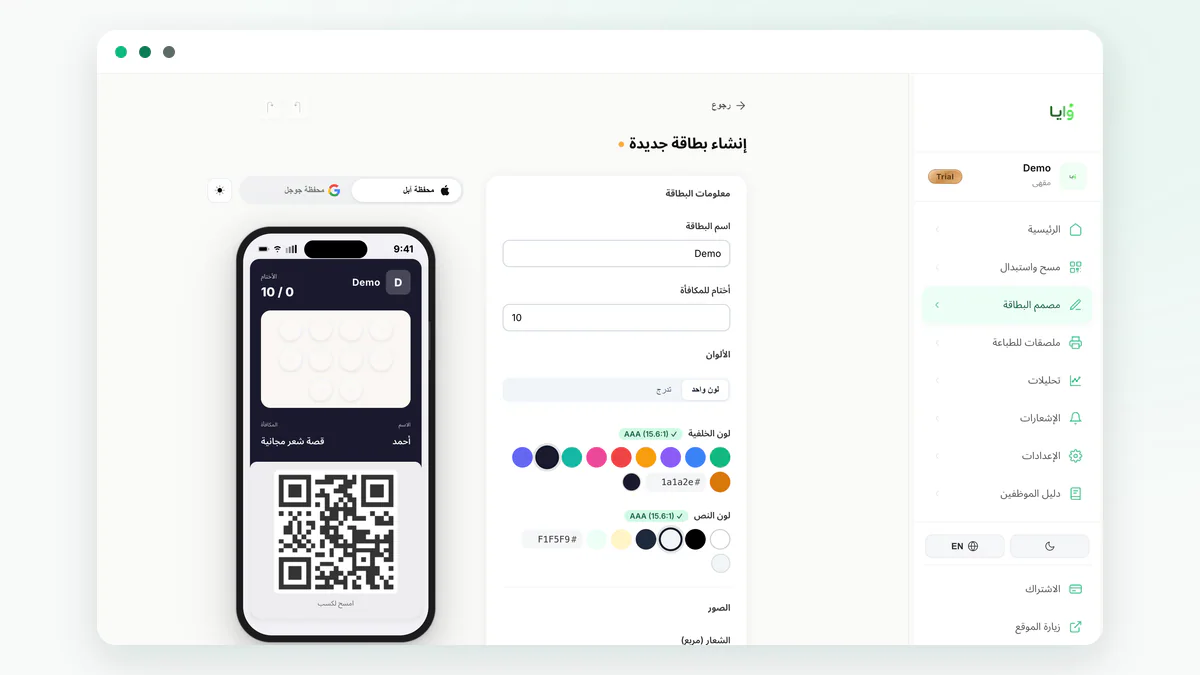
A customer loyalty program rewards a shopper for coming back instead of treating every visit like the first one: they earn a stamp, a point, or a balance on each purchase, then redeem it for a reward once they hit a threshold you set in advance. On Waya, that card needs no separate app on the customer's phone — it lives inside Apple Wallet or Google Wallet itself, added in seconds after a QR scan.
The same idea has existed for decades as the paper punch card tucked into a wallet — except that card gets left at home, torn, or lost before anyone redeems it. A digital card solves that because it lives on the device the customer already carries everywhere, and it opens a lock-screen notification channel paper never had.
There is no single 'best' type to launch with. The right one is whichever your customer understands at a glance and your staff can apply without thinking twice at checkout. This guide walks from choosing a type, to designing the card, to measuring results after launch, with a link in every section to a dedicated page that goes deeper on that specific step.
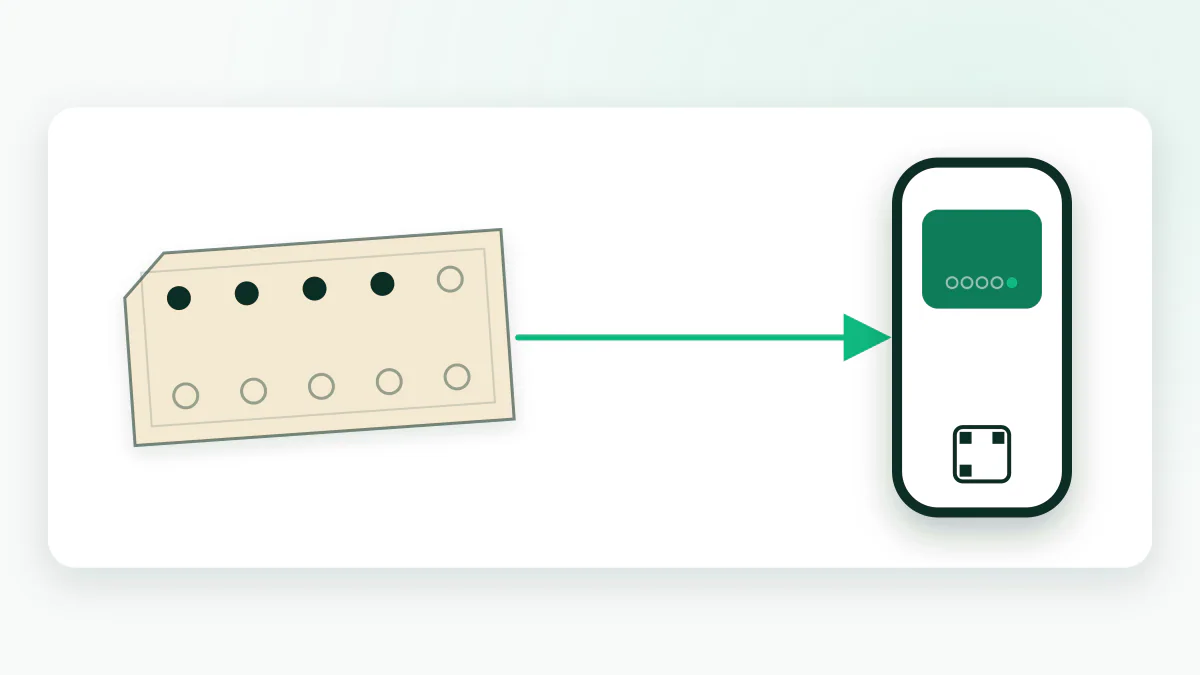
- A clear earn rule: what the customer does to collect a stamp, point, or balance.
- A specific reward: what they get at the threshold, and when it expires if it does.
- A notification channel: how the customer learns a reward is ready to redeem.
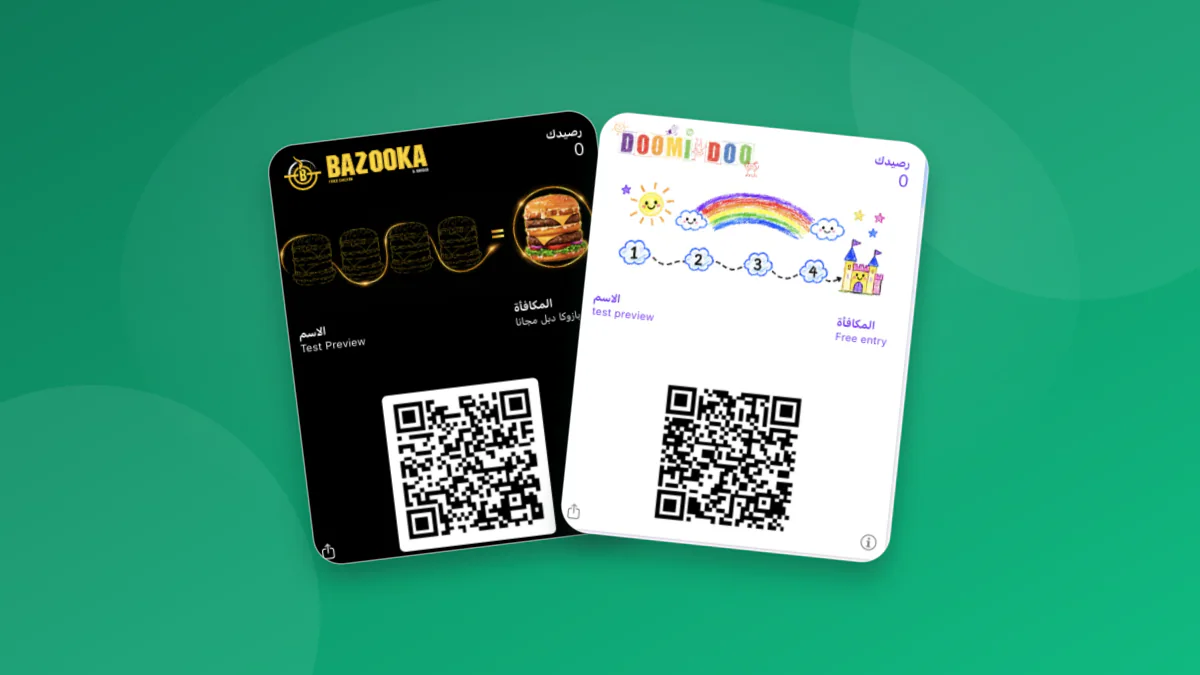
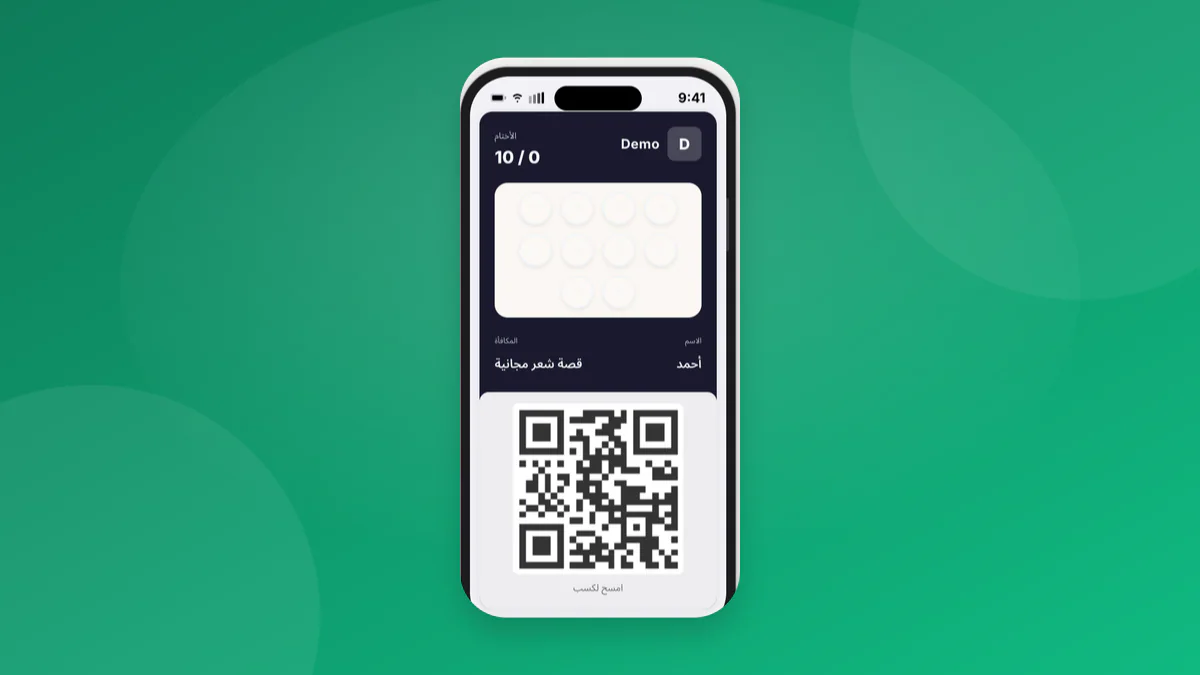
Real loyalty cards on Waya
Stamps, Points, Cashback, or a Discount: Choosing Your Card Type and Reward Threshold
Pick the card type that fits how your shop actually sells, not whichever is most common among other platforms. Waya's Free plan includes stamp cards only; Growth and Premium unlock three more types: points, balance (cashback), and discount. Stamps or points for your loyalty card walks through the operational difference in more depth.
Once you've picked a type, set the reward threshold with care: too close and the reward feels cheap; too far and the customer gives up before reaching it. Work out your margin on the reward before you announce it — reward thresholds that protect your margin walks through the math for your specific business.
| Type | How it works | Best for | Available on |
|---|---|---|---|
| Stamps | One stamp per visit or purchase, an automatic reward once a set count is reached | Cafes and other frequent, low-ticket visits | Free, Growth, and Premium |
| Points | Points accrue, usually tied to invoice value, redeemed once a published cap is reached | Restaurants and shops with variable ticket sizes | Growth and Premium |
| Balance | A prepaid amount loaded onto the card and drawn down visit by visit | Salons and package or subscription services | Growth and Premium |
| Discount | A fixed percentage or amount applied automatically at scan, no running count | Shops that want one simple reward with no tally | Growth and Premium |
How the Program Works, Step by Step: From QR Scan to Redemption
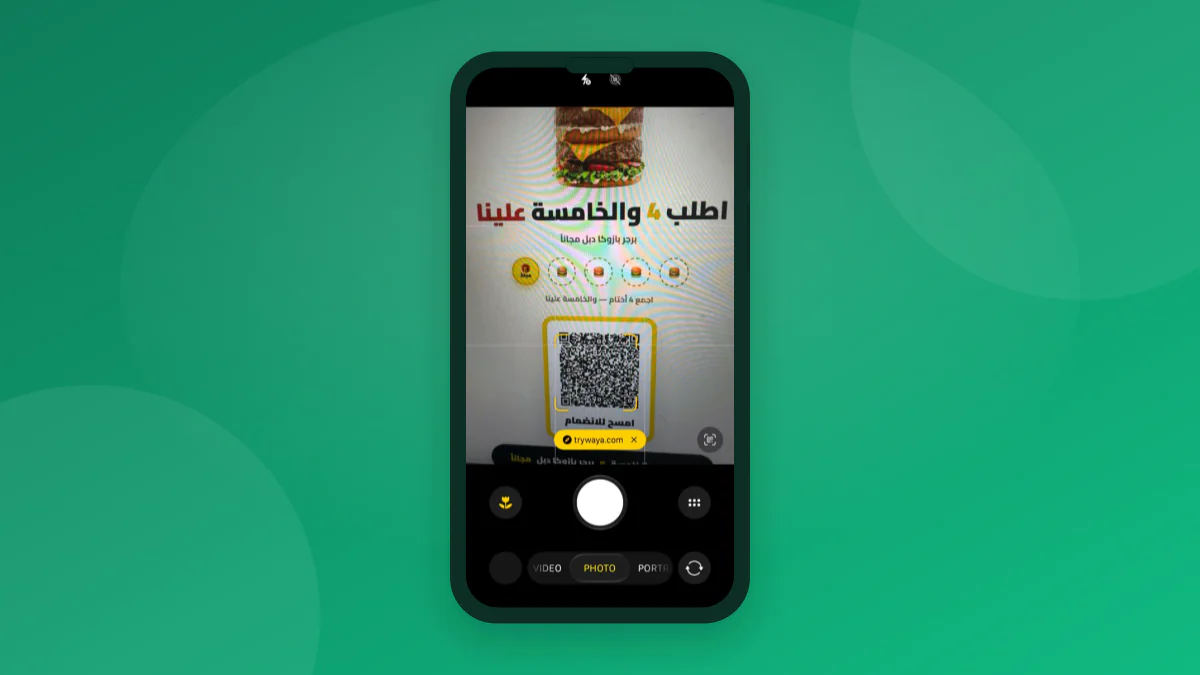
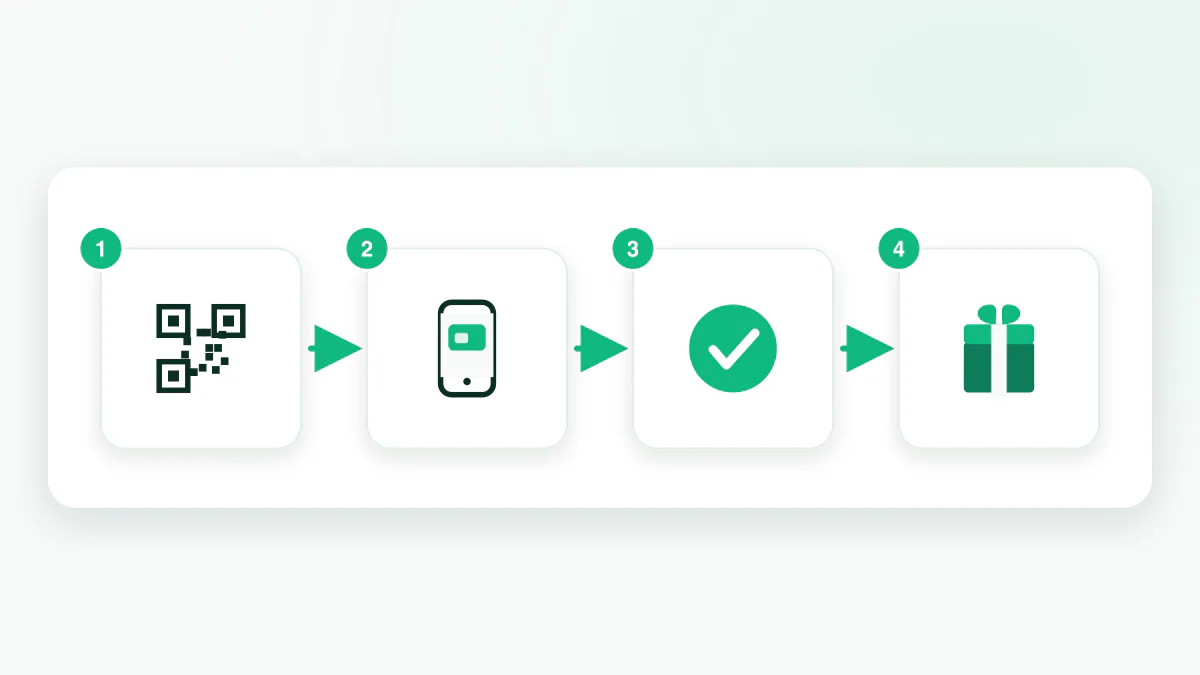
The full loop is four simple steps. The customer scans the QR code displayed in your shop with an ordinary phone camera, which opens a short sign-up form asking only for a name and phone number. After submitting it, they tap Add to Wallet and the card drops straight into Apple Wallet on iPhone or Google Wallet on Android — no password, no separate account to remember.
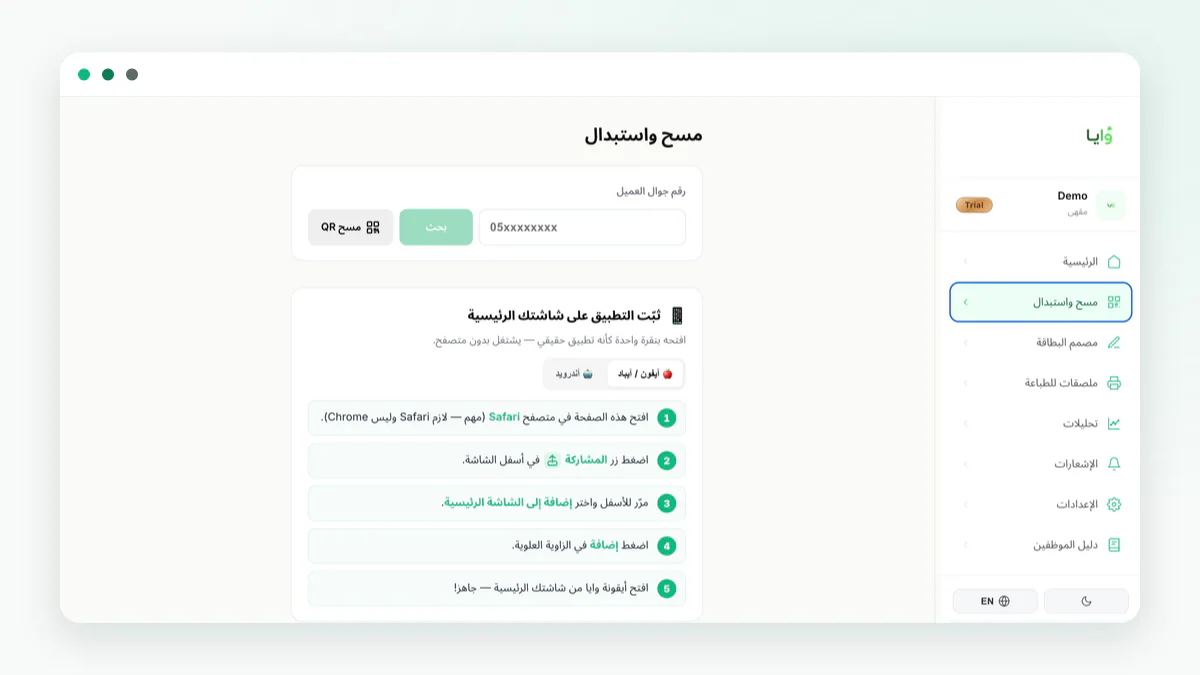
On every later visit, the customer opens the card from their wallet and shows its QR code, and any staff member scans it with an ordinary phone from the Waya dashboard or merchant app — no dedicated reader, no POS integration required. The stamp or points post directly, and once the customer reaches the threshold, the reward simply appears ready on the card with no extra step from them.
Neither side of this loop needs a fast connection or special hardware: a browser tab or the Waya merchant app is enough on the staff side, and an ordinary phone camera is enough on the customer's side. That's what keeps the daily flow working even on a busy day without adding a line at the register.
Does the Customer Need to Install Anything? Apple Wallet, Google Wallet, and the Web Fallback
No. The customer doesn't install an app from the App Store or Google Play, and doesn't create a password account. The card lives inside Apple Wallet on iPhone or Google Wallet on Android — both pre-installed on every modern phone. If a customer's phone supports neither, a web card fallback works straight from the browser with the same data.
The practical difference between the two wallets is small from the customer's side: both show the stamp count or points and a QR code on a lock screen reachable in one tap. The bigger difference is on the merchant side — geofence notifications currently work on Apple Wallet only. See the Apple Wallet and Google Wallet loyalty card guide for the full breakdown of differences, notifications, and setup.
What It Costs: From the Free Plan Forever to Unlimited Branches
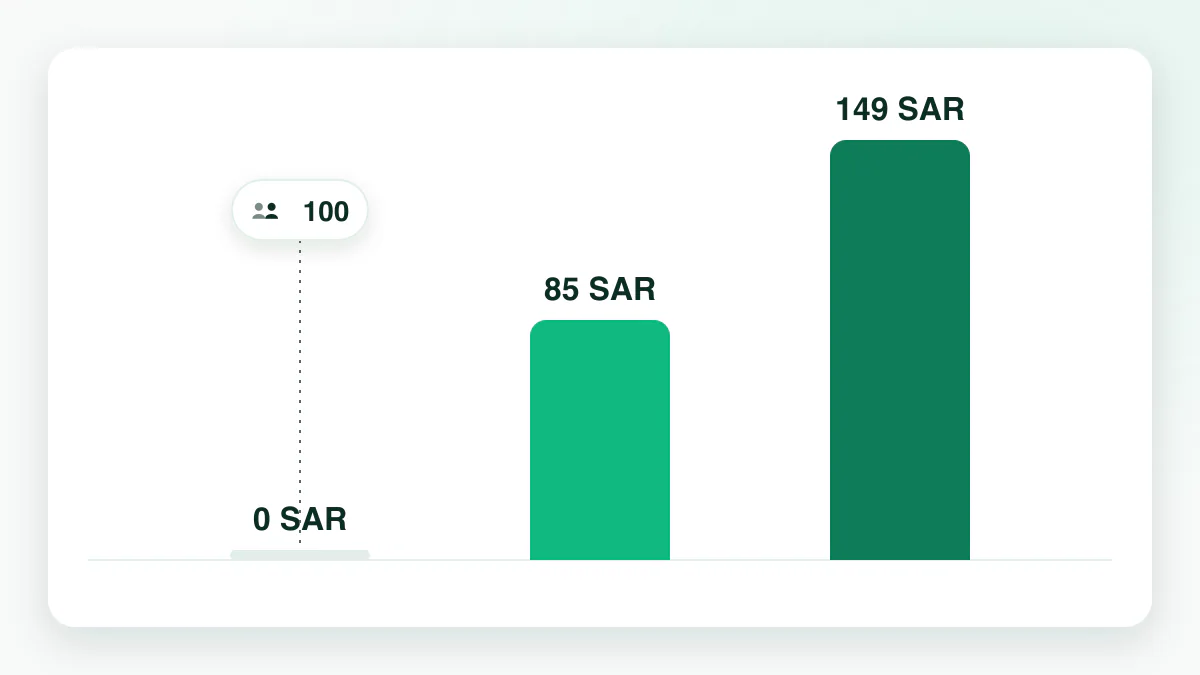
Start on a Free plan forever, no credit card required, covering up to 100 customers, one stamp card, one branch, and 100 messages a month. Once you hit that cap, the Free plan stops enrolling new customers, but everyone who joined before keeps their card and history intact.
There's no commission on your sales, no setup fee, and no per-card or per-customer fee — just a clear monthly or annual subscription. See the full breakdown of what each plan unlocks and who should pick which on the pricing page.
| Plan | Price | What it unlocks |
|---|---|---|
| Free | 0 SAR forever | Up to 100 customers, 1 stamp card, 1 branch, 100 messages a month |
| Growth | 85 SAR/month or 867 SAR/year | Unlimited customers, up to 10 cards, 3 branches, 5 staff, 5,000 messages a month |
| Premium | 149 SAR/month or 1,520 SAR/year | Everything unlimited, plus accounting integrations (Daftra, Qoyod, Loyverse, Zoho Books, Wafeq, Odoo, Rewaa) |
Choosing the Right Program for Your Type of Business
Shops built on frequent, low-ticket visits — cafes, restaurants, grocery stores — usually succeed with a simple stamp card the customer understands on the first visit; see the best car wash loyalty software as an example of a high-frequency vertical with a clear reward.
Personal care and car care are among the strongest-performing categories on Waya: typical return rates for salons and car washes run 24-27%, but that number depends entirely on staff scanning discipline — one car wash enrolled 67 cards and saw only about 7.5% return because staff weren't scanning every visit, while one salon enrolled 265 customers and 71 of them came back two or more times, close to 27%.
A fourth category isn't run on repeat drop-in visits at all, but on bookings and packages: photography and art studios, language, music, and training institutes, tutoring centers, and coworking spaces. For these, it works best to grant the credit after the booking or service is complete, not at the first inquiry, and to write down the cancellation and reschedule policy before launch, with staff permissions split so reception logs the routine credit while a manager approves any exception. None of this needs a booking system or POS integration — an ordinary staff phone scanning the card at the end of each session or package is enough.
If you run a single location with no IT team, the Free plan is enough to start, and Growth fits a shop growing into a few branches; compare the fit for your size in the best loyalty app for small businesses.
Don't try to launch every one of these categories at once. Pick the closest match to your business above, start with one card and one clear earn rule, and measure the result before you add a second card type or a new branch.
Getting Cashiers to Scan Every Visit — Not Just Some of Them
The biggest silent killer of a loyalty program isn't a weak reward — it's a cashier who forgets to scan the card during a busy rush. The customer notices the program feels unreliable and stops bothering to pull out their card at all. Teach every new hire the scan step as part of the standard checkout flow from day one, not as an optional extra they remember only when it's convenient.
Use staff permissions in Waya to control who can grant a manual reward or approve an exception, so the daily scan stays simple for any employee on an ordinary phone with no complicated access to manage. Getting cashiers to sign customers up has ready training steps and scripts you can hand a new hire directly.
Automatic Lock-Screen Notifications and the 14-Day Win-Back
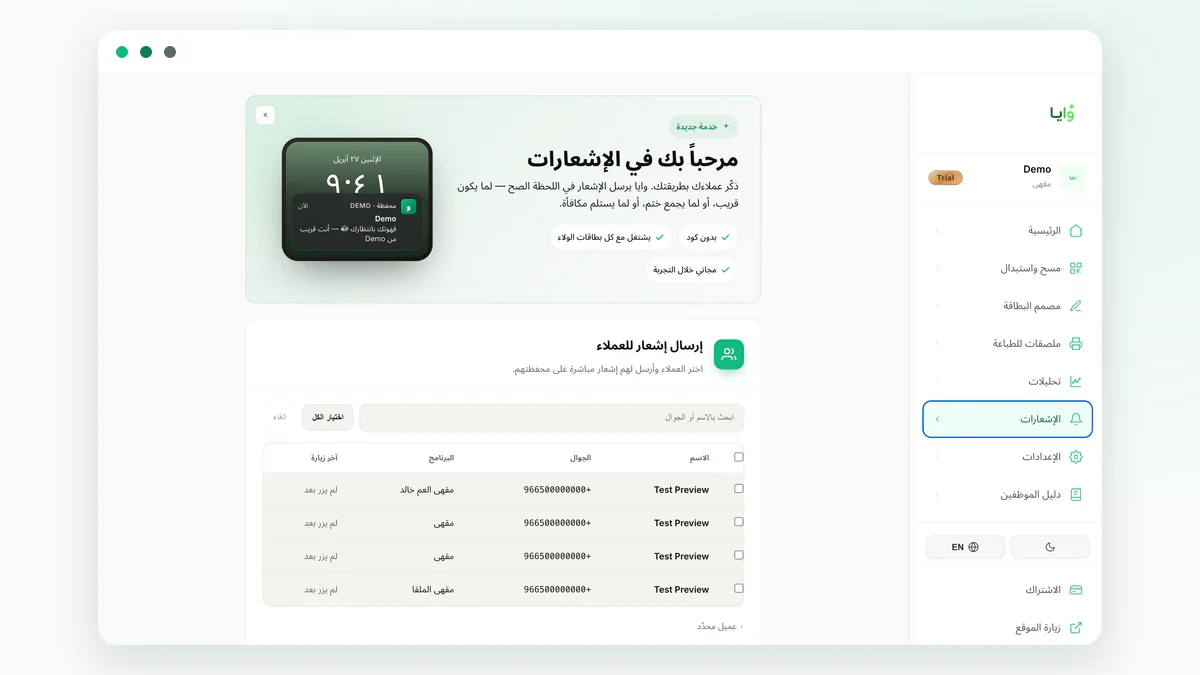
A digital loyalty card opens a communication channel a paper punch card never had: a message that lands directly on the customer's lock screen. Waya ships four ready-made types: a welcome message on sign-up, a message when a stamp or points post, a message when a reward is redeemed, and an automatic win-back message sent after 14 days of no visits, with no extra setup.
Anyone on Growth or above can also turn on geofencing: when a customer comes within 50 to 500 meters of a branch, their card and your message appear automatically on their lock screen, up to 10 branch locations per card, on Apple Wallet only, and free of charge with no deduction from your message balance. Scheduled campaigns respect your shop's working hours, so anything sent outside them moves automatically to the next opening time. See win-back message templates for ready-to-use copy for every message type.
Measuring Return Rate and the Return on Your Investment
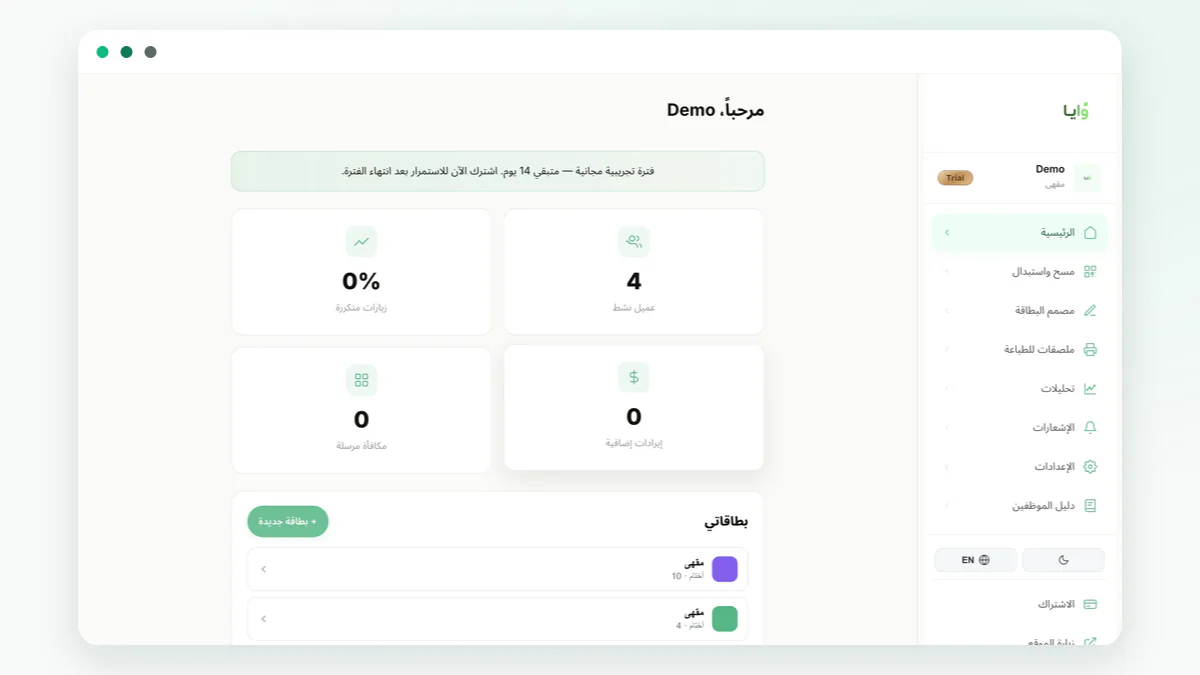
The one number that tells you whether your program is working is return rate: the share of enrolled customers who came back two or more times, not the count of cards added. The Waya dashboard shows this number directly on the home screen alongside active customers and rewards redeemed, with no data export or manual math required.
For a deeper read, weigh the cost of the rewards you've granted against the value of the extra visits they generated — the loyalty program ROI spreadsheet walkthrough shows a simple way to run that math with your own numbers. And if you want to understand the link between retention and profit before you launch any campaign, start with retention math for small shops.
Check the number weekly, not daily; day-to-day swings are normal and don't reflect the program's real performance. If return rate hasn't moved in a full month, check staff scanning discipline first before you change the reward itself.
Mistakes That Kill a Loyalty Program in the First Two Months
Most loyalty programs that quietly stop working don't fail because of the platform — they fail because of decisions made in the first two weeks that nobody revisits. Four come up most often:
Each of these four is fixable within a single business day once you catch it: adjust the redemption threshold from the dashboard, remind staff about the scan step, turn off a notification that's annoying people, or simply open the analytics screen once a week for the first time since launch.
The fix isn't more features — it's a simple weekly review of these four points for the first two months. Loyalty mistakes in the first 90 days covers the full detail with real examples for each one.
- A redemption threshold set too far from actual buying habits, so the customer stops collecting before they feel any progress.
- A cashier who doesn't scan the card on every visit, turning the program into a promise that never gets kept.
- Too many notifications with no operational reason behind them, so the customer ignores them or removes the card.
- Nobody checks the dashboard after launch, so the same mistakes run unchecked for months.
Where Waya Fits — and Its Limits, Stated Plainly
Waya fits a shop that wants a simple digital replacement for the paper punch card, running from a staff member's ordinary phone with no equipment or long technical setup, starting at 0 SAR. It also fits a multi-branch shop that needs one consistent rule and centralized analytics from a single dashboard.
But we won't hide the limits: Waya today doesn't read a point-of-sale system directly except through the accounting integration on the Premium plan, which currently covers seven providers; any visit outside that connection is recorded when a staff member scans the card manually. The only notification channel is the digital wallet lock screen. And the Android merchant app is still in early access — use the Waya dashboard from a browser on Android for now.
That honesty is deliberate: it's easier to decide before you pay than after. If these limits don't fit your business today, the Free plan is still a cheap way to test the idea before any commitment.
Launching Your Program in One Week: A Day-by-Day Plan
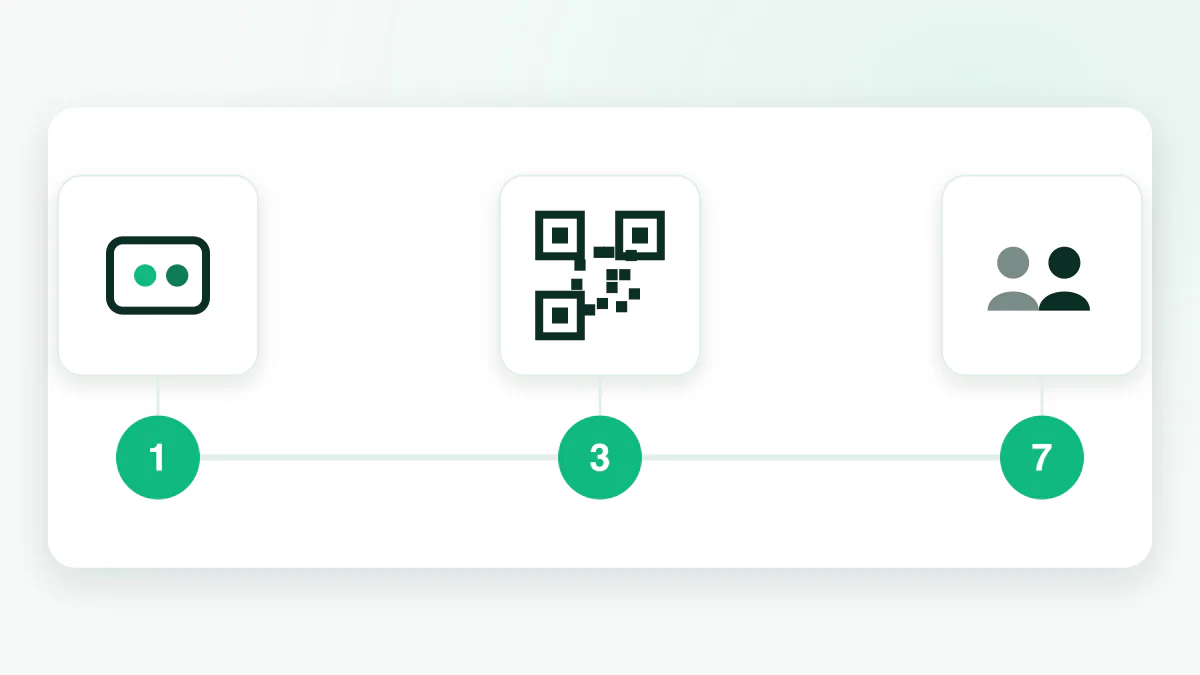
You don't need a technical team or a month of setup. Five steps are enough to launch a working program within one week:
After the first full week, check your return rate and how many rewards were redeemed before you add a branch or a new card type. A more detailed day-by-day plan is in the loyalty launch week plan.
- Create your account and pick a card type
Sign up free, no credit card, and choose stamps, points, or balance based on your business.
- Design the card in your shop's colors
Set the name, colors, logo, and stamp count or points cap in the card designer.
- Print a QR poster and place it at checkout
Download a ready layout from the dashboard and print it on a table or next to the register.
- Turn on notifications and set branch locations
Enable the welcome and automatic win-back messages, and add each branch's coordinates to unlock geofencing if your plan supports it.
- Train staff and start enrolling
Ask your first customer to scan the code, then track results in the analytics dashboard day by day.
Frequently asked questions
Is Waya an app the customer has to install?
No. The customer uses a card inside Apple Wallet or Google Wallet directly, with no download at all. The Waya app on the App Store is for the merchant to manage the program, and the Android merchant app is in early access.
What's the difference between stamps, points, balance, and a discount?
Stamps are a simple reward for visit count, available even on the Free plan. Points, balance, and discount are more flexible types Growth and Premium unlock — see stamps or points for your loyalty card for more detail.
How much does a loyalty program on Waya cost?
It starts free forever for up to 100 customers with no credit card, then 85 SAR a month on Growth or 149 SAR a month on Premium. Full details are on the pricing page.
Do I need special hardware to scan customer cards?
No. An ordinary cashier phone is enough to scan the customer's card QR code on every visit — no dedicated device and no required POS integration.
How do I choose the right reward threshold?
Work out your customer's average monthly visit count and your margin on the reward before announcing it; too close cheapens the reward and too far loses the customer's interest. The full steps are in reward thresholds that protect your margin.
How does geofencing work?
When a customer comes within 50 to 500 meters of your branch, their card and your message appear automatically on their lock screen, on Apple Wallet only and from the Growth plan and up, for up to 10 branches per card.
Does Waya work for a shop with multiple branches?
Yes. Growth supports up to 3 branches and 5 staff from one dashboard, and Premium unlocks unlimited branches and staff, with the same customer card working across every branch.
When does the win-back message reach an absent customer?
Automatically, 14 days after their last visit, with no extra setup on your side — see win-back message templates for ready copy.