The best loyalty app with Apple Wallet and Google Wallet for a Saudi small business
Waya issues loyalty cards directly inside Apple Wallet and Google Wallet — the customer scans a QR code, fills a short form, and the card appears on their phone in seconds, with no app to download and no password to remember.
The Free plan does this at 0 SAR forever for up to 50 customers, and every plan supports both wallets and all four automatic lock-screen messages; the paid plans add an Apple Wallet geofence covering up to 10 branches per card.
- Both wallets confirmed on the vendor's own pricing page, not just claimed in marketing copy
- No customer app to download — enrollment finishes with one QR scan and a short form
- Lock-screen notifications with a real Apple Wallet geofence, not a generic push claim
- A free tier that runs an actual pilot, not a 14-day countdown
- SAR pricing from a Saudi company, with no commission on sales
How a wallet loyalty card reaches a customer's phone
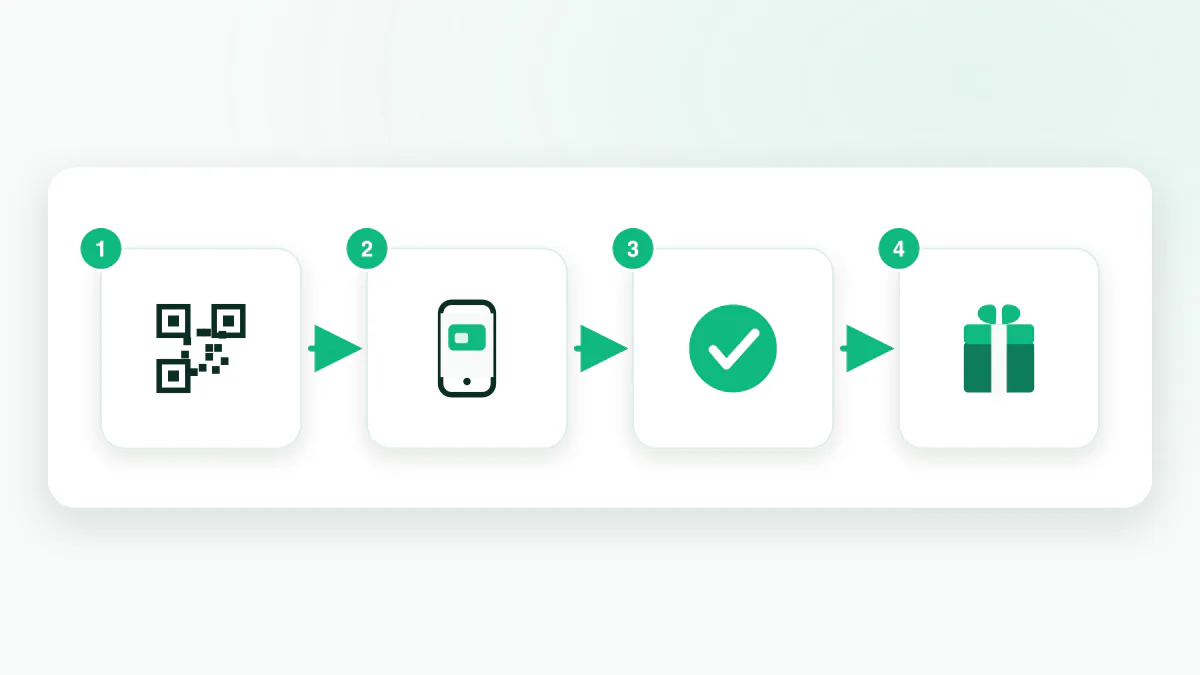
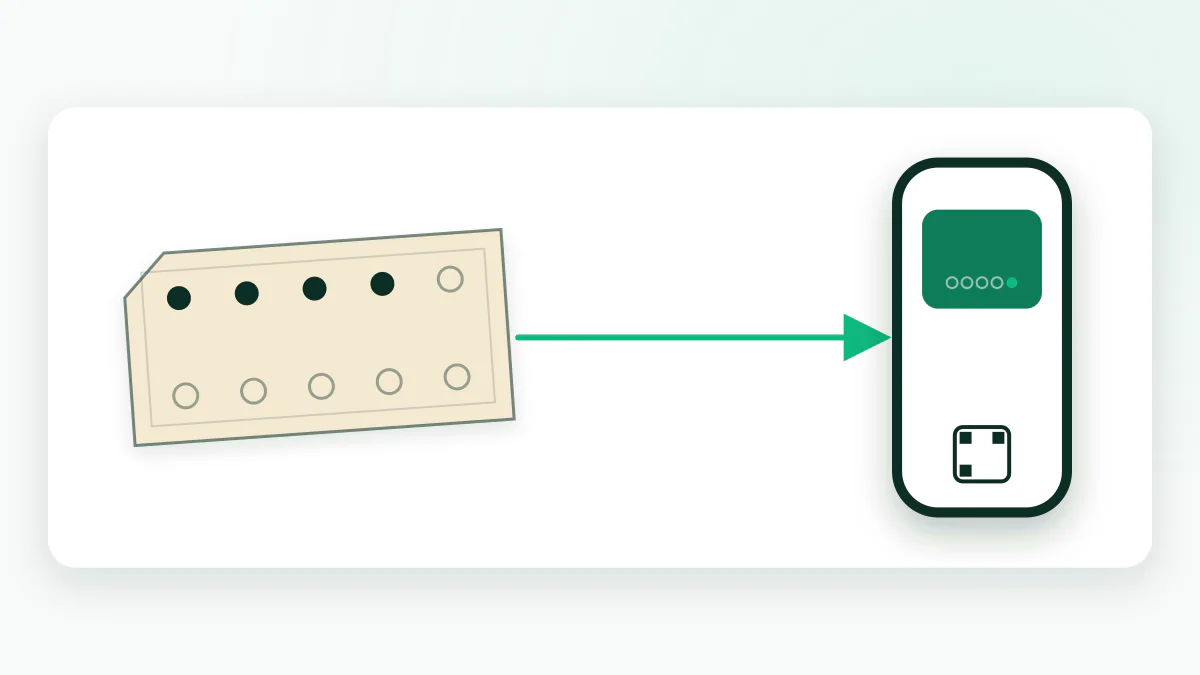
The loop has four steps: the customer scans a QR code — on a poster, a table tent, or a receipt — fills in a name and phone number, and taps once to add the card to Apple Wallet or Google Wallet. From there, staff scan that same card from an ordinary phone, no special hardware, to add a stamp, a point, or a cashback amount.
None of this requires the merchant's own app or a till connection. One QR code replaces the punch card at the counter, and the wallet pass replaces the notebook a cashier used to check by hand.
Apple Wallet vs Google Wallet: what's actually different
Both wallets carry the same card, the same stamp or point balance, and the same four automatic messages, but a handful of mechanics genuinely differ between them, and the table below is the honest version rather than the marketing one.
| Feature | Apple Wallet | Google Wallet |
|---|---|---|
| Location-based lock-screen reminder (geofence) | Yes — within ~100 m of the branch pin, up to 10 branches, from the Growth plan and up | Controlled by Google itself, not configurable from the merchant dashboard |
| Notification delivery network | Apple Push Notification service | Google Wallet's own notification service |
| Add button shown at enrollment | Add to Apple Wallet | Add to Google Wallet |
| Balance update after a scan | Updates on the card once staff scan it | Updates on the card once staff scan it |
| Manual geofence setup from the dashboard | Yes — pins on the Branches screen, radius in Notifications → Location | No — Google decides the mechanism |
What lands on the customer's lock screen
Once the card is added, four messages fire on their own, without the merchant sending anything by hand: a welcome note when the card is first added, a confirmation when a stamp or point lands, an alert when the reward threshold is reached, and an automatic win-back message after 14 days without a visit.
Merchants can also schedule broadcast campaigns that respect the shop's working hours, so a message never lands in the middle of the night. All of this runs on wallet lock-screen notifications, not SMS or WhatsApp, so there's no per-message carrier fee to plan around.
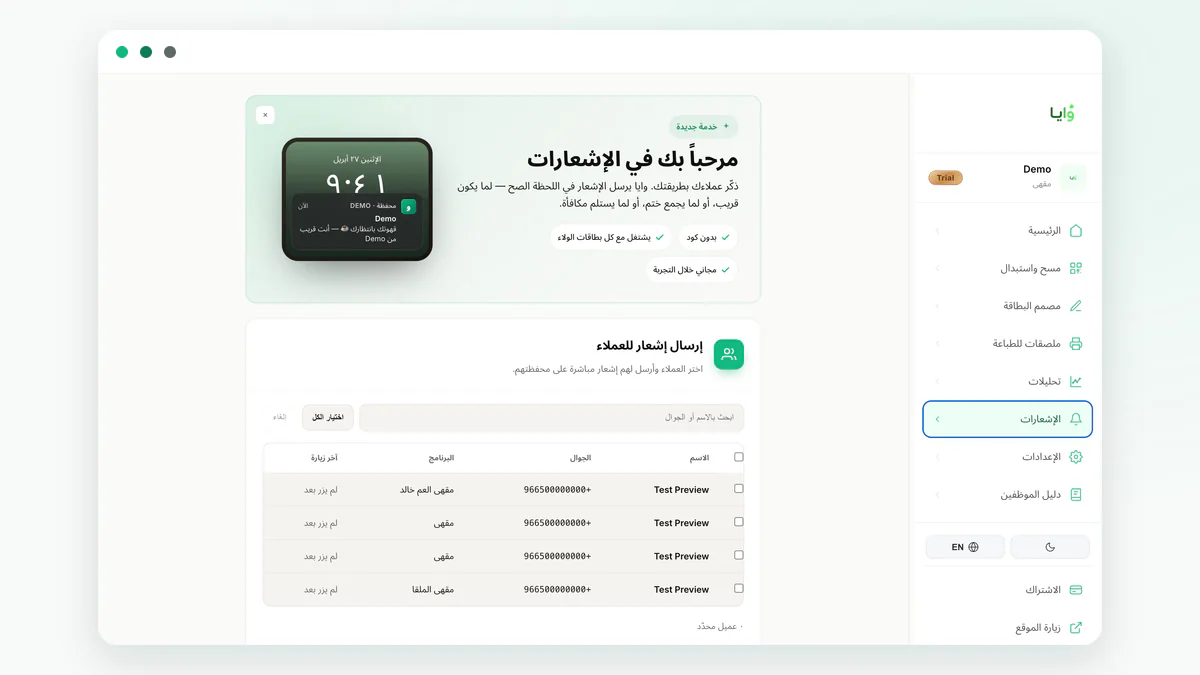
- Welcome — sent the moment the card is added
- Stamp or point added — confirms the new balance after a scan
- Reward ready — fires once the threshold is reached
- 14-day win-back — an automatic nudge after two weeks of no visits
Does the customer need to install anything?
No. The entire premise of a wallet pass is that the customer installs nothing — Apple Wallet and Google Wallet already exist on every iPhone and Android phone. A QR scan and a two-field form add the card directly, the same place boarding passes and payment cards live. See how a wallet pass actually works under the hood for the mechanics.
On the rare device with neither wallet, Waya falls back to a web card — a link the customer can reopen to check their balance. It's a genuine fallback, not the main product: a web card can't receive lock-screen notifications and has no geofence, so the priority is always steering the customer toward the real wallet add.
What the card looks like once it's added
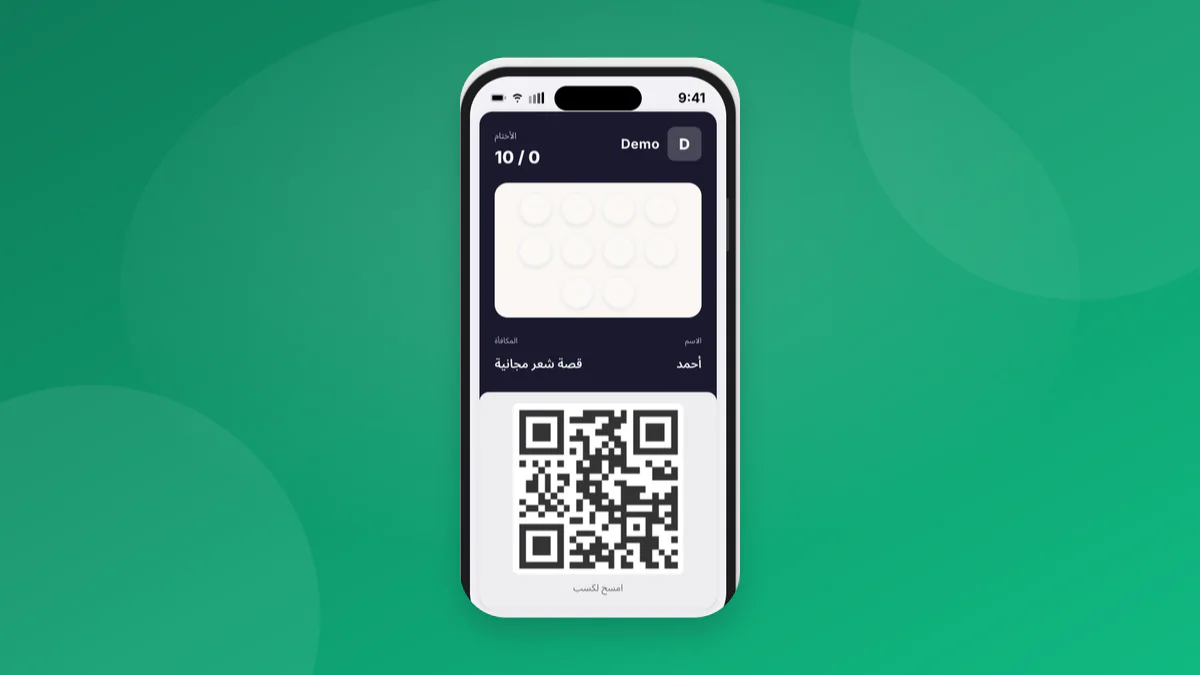
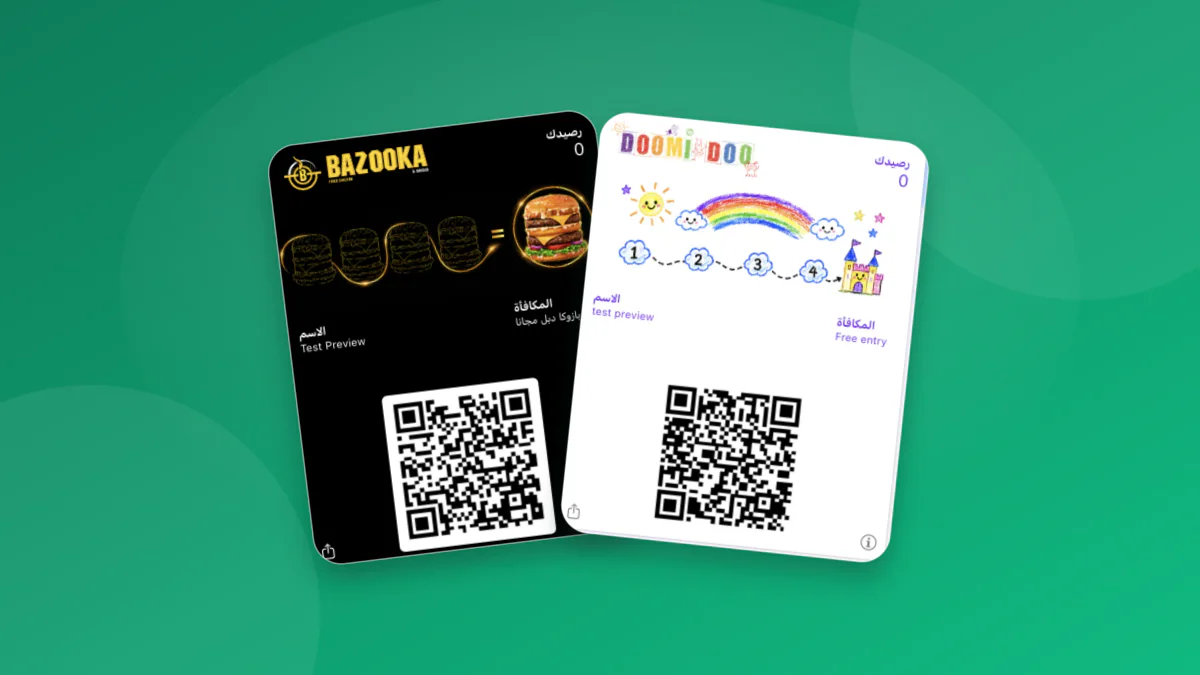
A finished card carries the merchant's logo, a brand colour instead of a generic template, and back-of-card fields — address, contact number, and the reward rule — filled in rather than left blank. None of this is a mockup; it's what a Waya merchant's card looks like once it's live in a customer's wallet.
A transparent-background logo reads cleanest against the card colour, and picking that colour from the shop's own branding, rather than a default green or blue, is what makes a card look designed rather than generated. See wallet pass design specifications for the exact sizes and formats.
Replacing a paper stamp card or a dedicated store app
Two older approaches solve the same problem less well. A paper stamp card gets left at home, gets lost, and tells the merchant nothing about who actually came back — a stamp on cardboard carries no data and no way to reach the customer between visits. A dedicated store app solves the data problem but reintroduces the friction it was meant to remove: an app-store visit, an account, a password, for a card the customer might open once a month. For the full mechanics side by side, see Apple Wallet vs. Google Wallet, compared in depth.
From paper to wallet in four steps
Carry the reward rule over exactly as it was — buy 6, get the 7th free stays the same — design the card with the logo and colours customers already recognize, print a QR code where the punch card used to sit, and train staff to scan instead of stamp. Most shops run both side by side for a week before retiring the paper card completely.
Why a wallet card beats a dedicated app for this specific job
A loyalty card only needs to do one thing well: show up when the customer is at the till. A wallet pass already lives where a customer checks anyway, next to boarding passes and payment cards, while a standalone app competes for a home-screen spot against everything else on the phone.
Choosing the right wallet setup by business type
The underlying mechanics don't change by vertical, but what a shop leans on does — the same card, the same four triggers, applied differently depending on how and when the customer is actually nearby.
- Cafés and quick-service: lean on the stamp trigger and the win-back message during slow afternoon hours; the known weak spot is staff remembering to scan during the morning rush.
- Car washes and salons: the geofence is the highest-leverage feature here, since customers are often driving or walking within a few hundred metres of the branch on some other errand.
- Multi-branch retail: keep the reward rule identical across branches so a customer's card behaves the same no matter which till scans it.
- A single-location shop just starting out: the Free plan's 50-customer cap is usually enough to run a real pilot before deciding whether to pay.
Mistakes that stall a wallet program in the first two months
The card itself is rarely the reason a program stalls; the habit around it usually is. The same four mistakes show up again and again across shops that started strong and then flattened out within a couple of months.
- Staff not scanning at every visit — one Waya car wash enrolled 67 cards but saw only about a 7.5% two-visit return rate, traced directly to inconsistent scanning rather than the card or the offer.
- A QR code placed somewhere the customer isn't already looking — near the till or on the receipt works; a wall poster across the room usually doesn't.
- A reward threshold set too high for the first month, so early customers never see a payoff and stop paying attention to the card.
- Treating the Free plan's 50-customer cap as a surprise instead of a planned upgrade point.
What it costs to run a wallet loyalty program
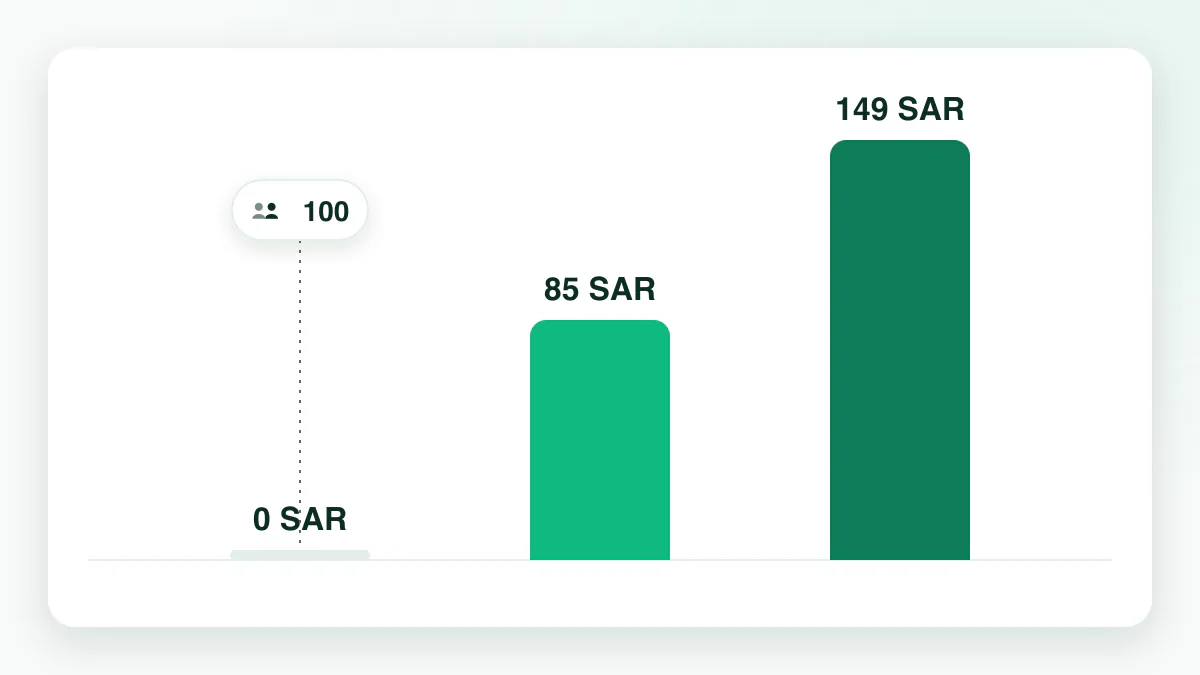
Every plan includes both wallets and all four automatic triggers; the Apple Wallet geofence comes with Growth and Premium, and the other differences are customer volume, branch count, and staff seats.
- No commission on sales
- No setup fee
- No per-customer fee
- At 50 customers the Free plan stops enrolling new customers; everyone already enrolled keeps their card
| Plan | Price | Includes |
|---|---|---|
| Free | 0 SAR forever, no credit card | Up to 50 customers, 1 stamp card, 1 branch, 50 wallet messages a month |
| Growth | 85 SAR/mo (867 SAR/year) | Unlimited customers, up to 10 cards, 3 branches, 5 staff accounts, 5,000 messages a month |
| Premium | 149 SAR/mo (1,520 SAR/year) | Unlimited customers, cards, branches, and messages, plus accounting and POS integrations |
Who actually supports Apple Wallet and Google Wallet in Saudi Arabia
Wallet support gets claimed in marketing copy far more often than it's confirmed on a vendor's own pricing page. This table checks both wallets specifically, using only what each vendor states about itself as of September 2026. Not listed = not stated on the vendor's site; verify directly.
| Platform | Apple Wallet | Google Wallet | Note |
|---|---|---|---|
| Waya | Yes | Yes | Both wallets on every plan, including Free, since launch |
| Loyapro | Yes | Yes | Both wallets confirmed on the vendor's own site; no free tier |
| Go-Stamp | Yes | No | Google Wallet is never named anywhere on the vendor's site |
| Nuqtaty | Yes | No | Google Wallet listed as "coming soon" as of September 2026 |
| Square Loyalty | Yes | No | Google Wallet explicitly not supported for the loyalty module |
| Loyverse | No | No | The free POS bundles a barcode loyalty card, not a native wallet pass; a wallet pass needs a separate paid third-party add-on — see connecting Loyverse to a real wallet pass |
| Nugttah | No | No | Built around a native customer app instead of a wallet pass |
| Washy App | No | No | Delivers a web-based card with no Apple or Google Wallet pass at all |
Launch a wallet loyalty card in one week
None of this needs a developer. A single branch can be live on a real wallet card inside one working week.
- Design the card
Set the logo, pick a brand colour, and choose stamps, points, or cashback to match how the shop already prices things.
- Print the QR code
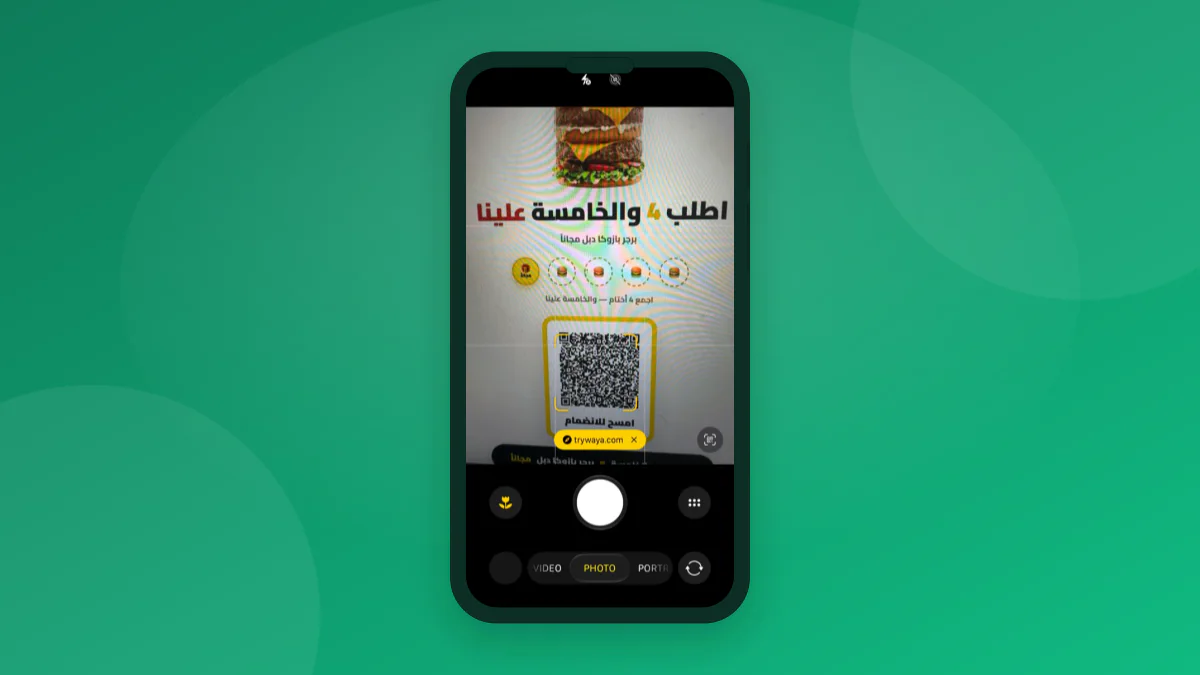
Place it where the customer is already looking — the till, the counter, or the receipt — not a wall across the room.
- Test the scan yourself
Add the card on your own phone first and check that the back-of-card fields render the way you set them.
- Turn on the triggers and geofence
Enable the welcome and win-back messages, and if the location makes sense for it, pin the branch on the Branches screen and set the Apple Wallet geofence radius in Notifications → Location.
- Brief staff and watch the first week
One sentence per transaction is enough — check the dashboard daily to see who's actually coming back.
Frequently asked questions
Which loyalty apps in Saudi Arabia actually support both Apple Wallet and Google Wallet?
Waya and Loyapro confirm both wallets on their own pricing pages. Go-Stamp, Nuqtaty, and Square Loyalty support Apple Wallet only, with Google Wallet either unsupported or still listed as coming soon; Loyverse, Nugttah, and Washy App don't issue a native wallet pass at all, relying instead on a barcode card, a separate customer app, or a plain web link.
Is Waya really free forever, and what happens at 50 customers?
Yes — 0 SAR forever, up to 50 customers, 1 stamp card, 1 branch, 50 wallet messages a month, no credit card. At 50 customers new enrollments pause; everyone already enrolled keeps their card, and the Growth plan removes the cap.
Does the customer need to download an app to use the wallet card?
No. A QR scan and a two-field form add the card directly to Apple Wallet or Google Wallet in seconds; on a device with neither wallet, a web card opens instead.
What's the practical difference between the Apple Wallet and Google Wallet geofence?
On Apple Wallet, the merchant sets the branch pins and a radius of 50–100 m directly from the dashboard; Apple shows the card within about 100 m of a pin at most. On Google Wallet, location reminders don't appear at all.
Do wallet notifications cost extra per message?
No — the four automatic triggers and any scheduled campaigns run on wallet lock-screen notifications, not SMS or WhatsApp, so there's no per-message carrier fee.
What happens if a customer's phone doesn't support Apple Wallet or Google Wallet?
Waya opens a web card instead — a link the customer can reopen to check their balance — but it has no lock-screen notifications and no geofence, so it's a fallback, not the main experience.
How long does it take to move a shop from a paper stamp card to a wallet card?
About a week in practice: design the card, print the QR code, test the scan, turn on the triggers, then brief staff. Most shops run the paper card alongside the digital one for the first week.