The short answer: Waya, from 0 SAR, with no app for your customers
Waya gives a café in Saudi Arabia a digital stamp card that lives in Apple Wallet and Google Wallet, free for the first 50 customers and then 85 SAR a month on Growth. Customers install no app: they scan a QR code at the counter and the card is in their wallet in seconds. Your cashier adds each stamp by scanning that card from an ordinary phone.
Setup is short. Half of the cafés that joined Waya since May 2026 had a live stamp card within about 2 minutes of signing up. What decides the result is everything after that: a stamp on every order, a reward customers can actually reach, and a QR code placed where people stand and wait.
- Price: 0 SAR for up to 50 customers, Growth at 85 SAR a month, Premium at 149 SAR a month. No commission on sales and no setup fee.
- Customer side: Apple Wallet or Google Wallet, added from one QR scan, with a web card for phones that support neither.
- Counter side: any staff phone running the web dashboard or the Waya merchant iPhone app.
Café posters, screens and real cards
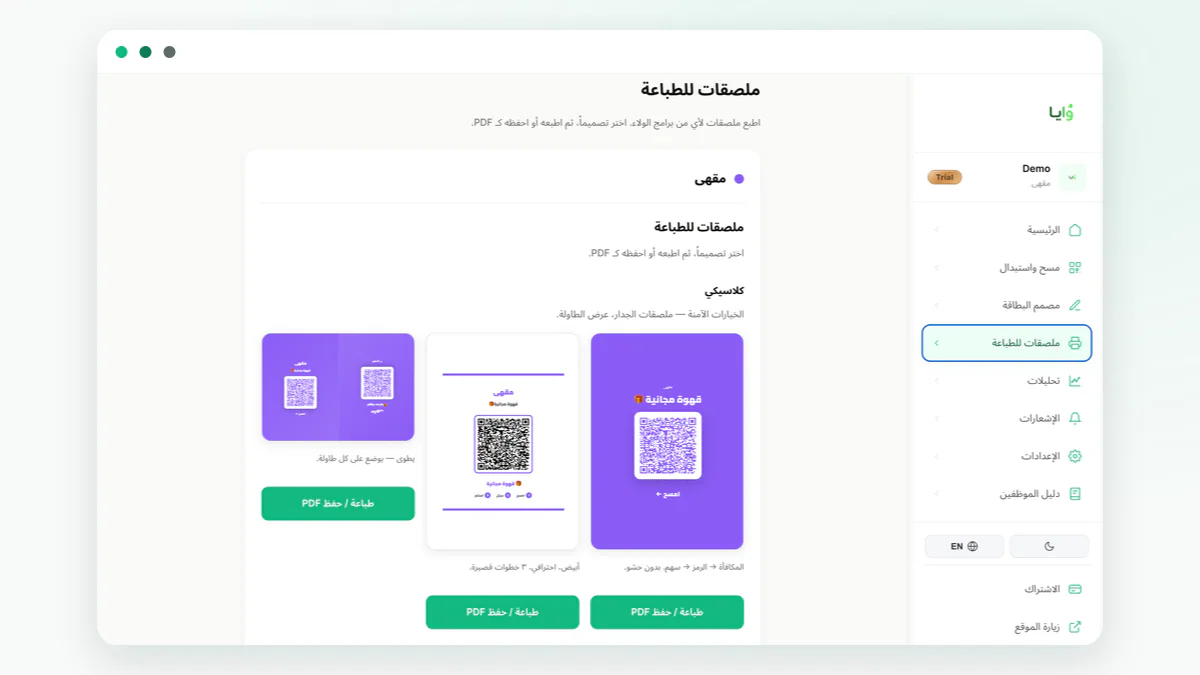
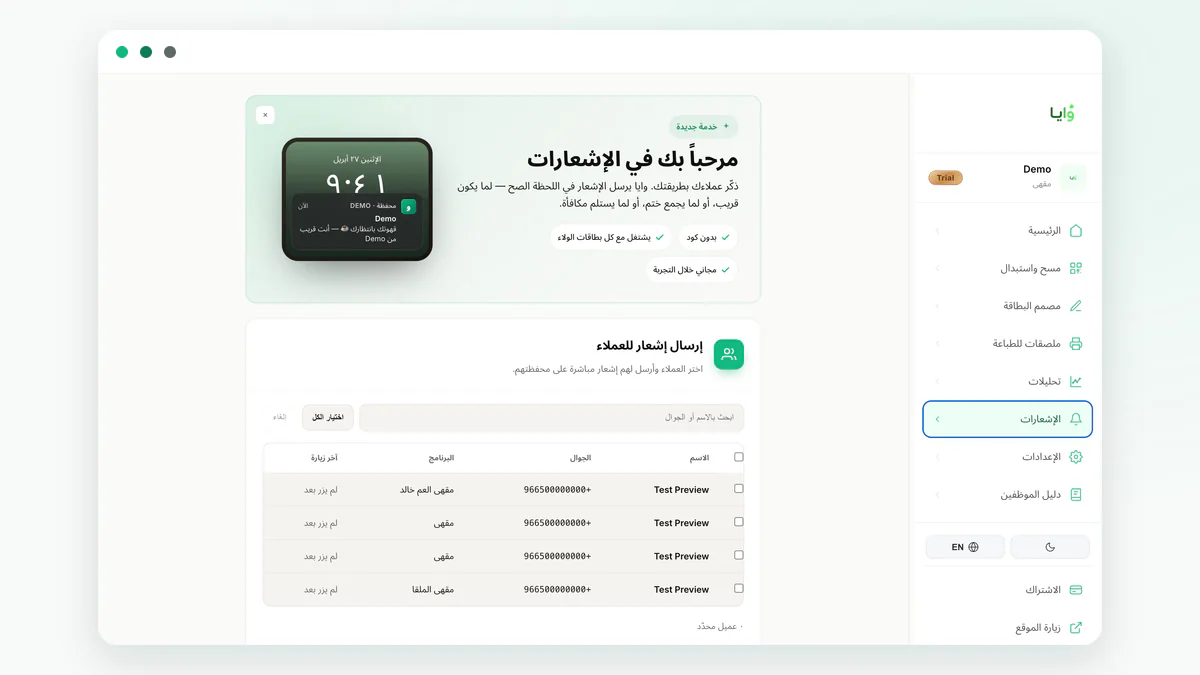
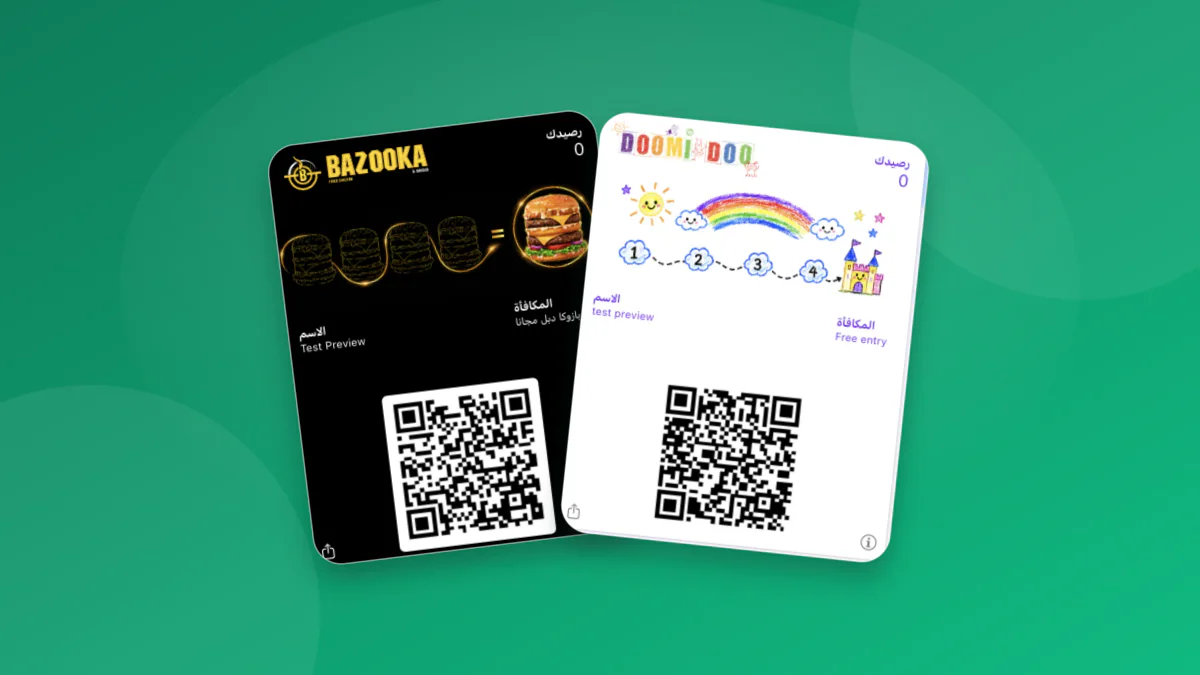
What a café stamp card in Apple Wallet looks like, and how it behaves
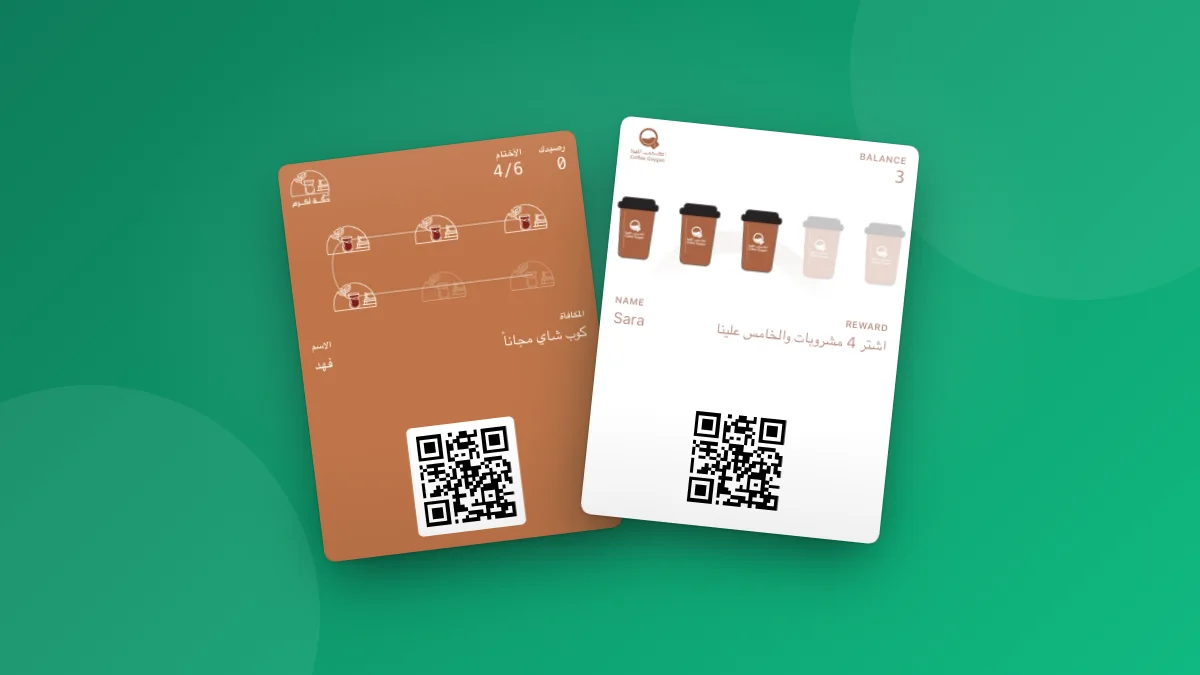
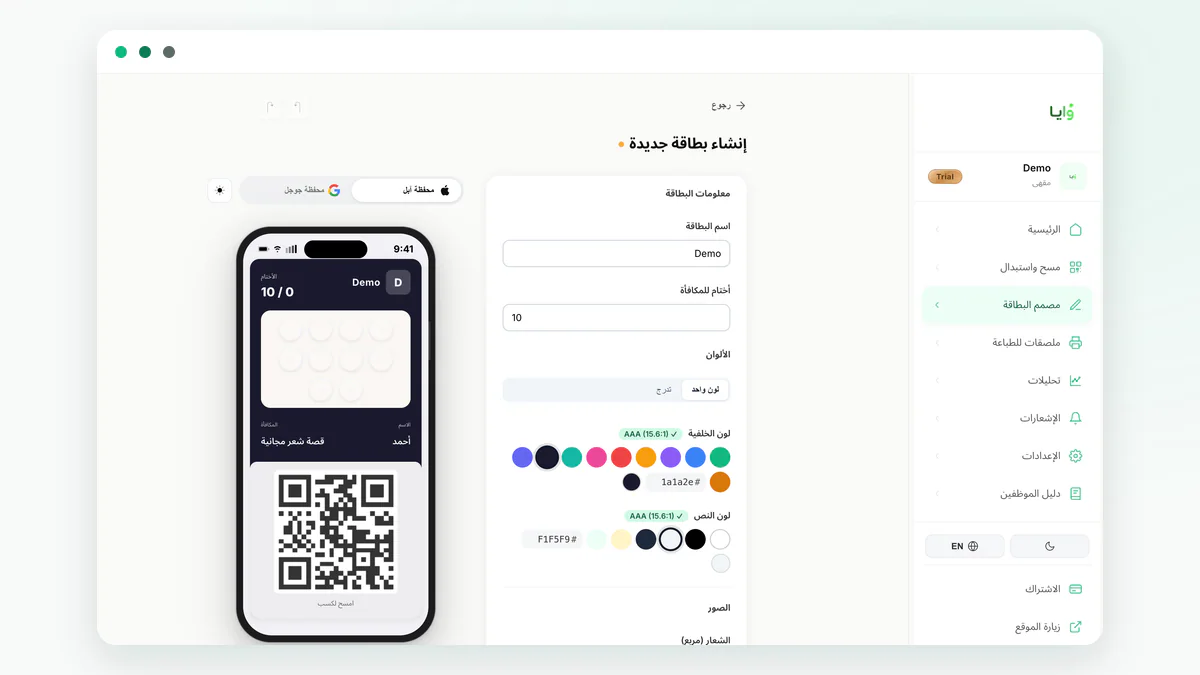
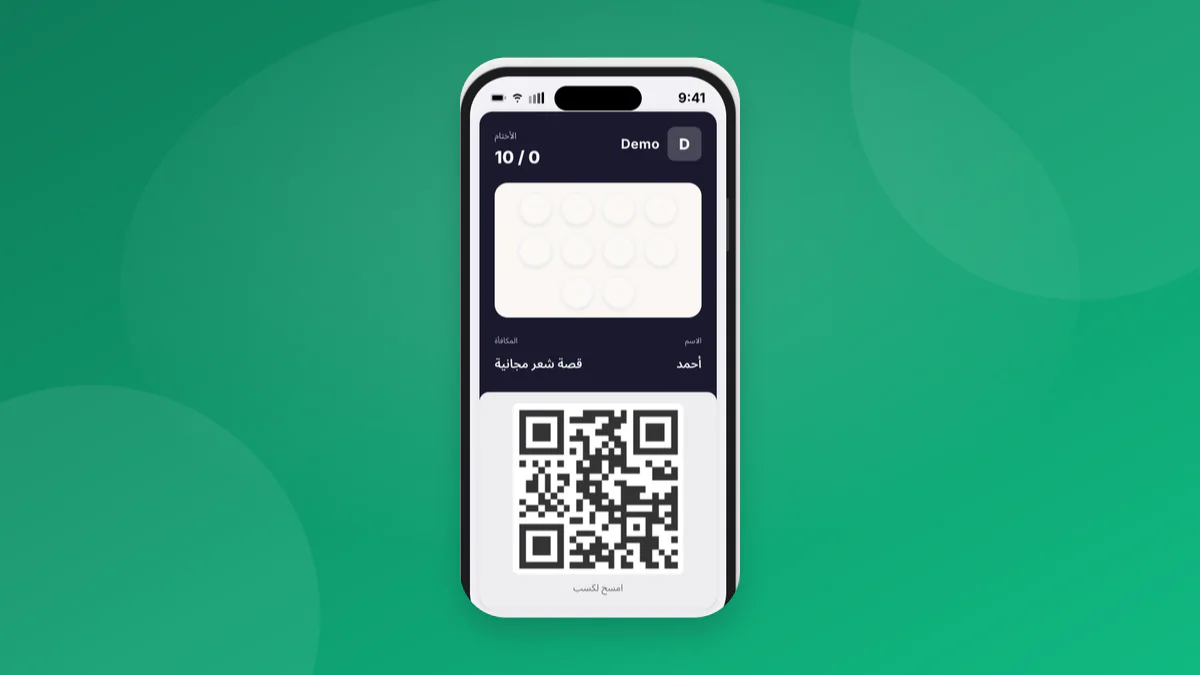
On an iPhone, a Waya café card sits in Apple Wallet alongside bank cards and boarding passes. The front carries your logo and colours, a row of stamp icons that fill with each visit, the reward in a few words, and the QR code your cashier scans; the back holds extra details such as the card’s terms. On Android, the same card lives in Google Wallet.
The card is not a static picture. Each time a stamp lands, the pass redraws itself on the customer's phone and a lock-screen notification confirms it. When the last stamp is added, a reward-ready message appears. If the customer stays away for 14 days, an automatic win-back message reaches the same lock screen. On Apple Wallet the card can also remind a customer as they come near one of your branches, within about 100 metres of the branch pin (you can tighten it to 50 m), for up to 10 branches.
Real cafés on Waya design their own version. In the picture below, one card gives the seventh cup of tea free after six and another puts the fifth drink on the café after four paid ones, each with its own colours, stamp icon and wording. For the wallet mechanics, read how Apple Wallet loyalty cards work.
Any café wallet card should pass these checks:
- Joining takes one QR scan: no app store, no account.
- A stamp takes one scan from a staff phone.
- Messages come out of a monthly allowance in your plan, not a per-text charge.
- Prices are in SAR and the dashboard is Arabic-first, with bilingual cards.
How the cashier stamps the card at a busy coffee counter
The whole loop needs nothing beyond the phones already in your café. This is the order it runs in on a normal morning:
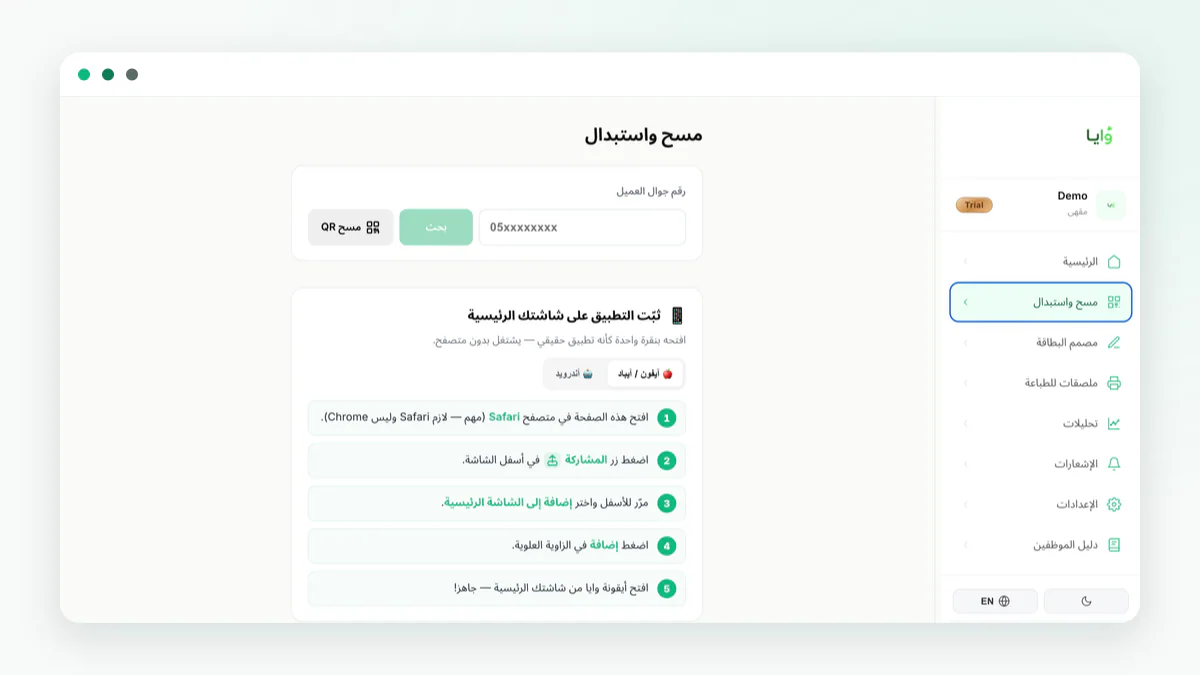
- Set one rule: one scan per order. The queue keeps moving, and no cashier has to decide whether a group order earns three stamps.
- Give counter staff the Cashier role. It opens only the Scan screen, so a new hire can stamp without seeing your customer list, campaigns or card design. Extra staff logins start on Growth, which includes 5; see staff roles and permissions.
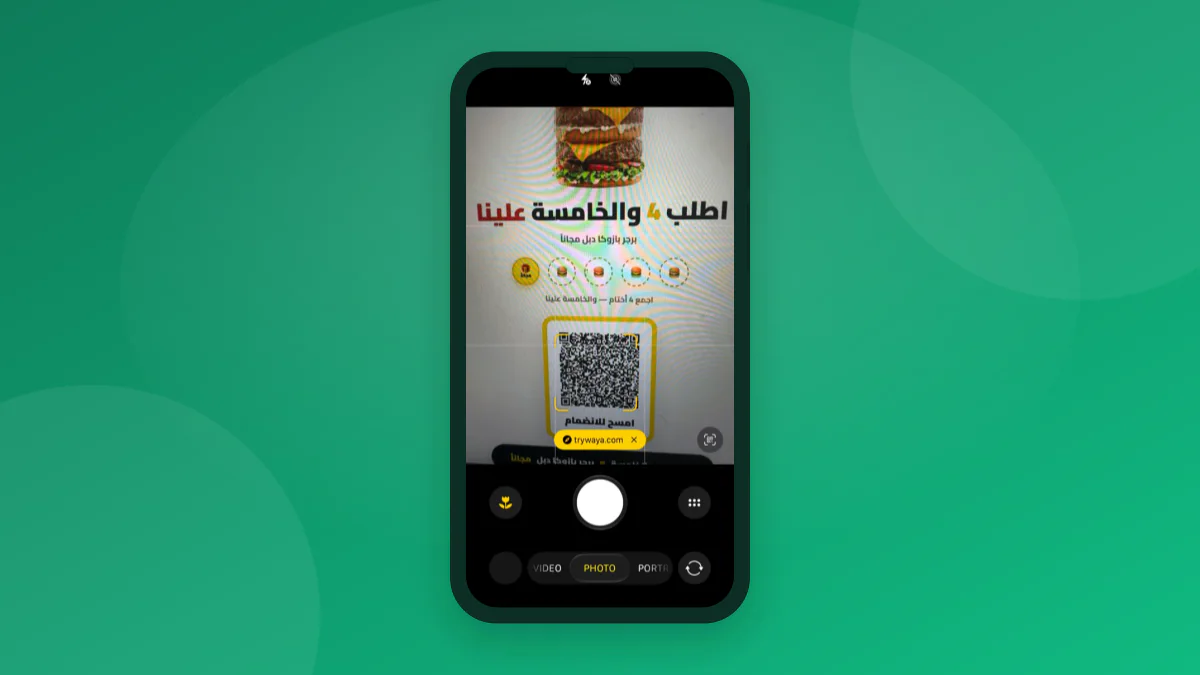
- Put the QR poster where people wait for their drink, not on the card reader, so customers join while the espresso is pulled, not while the next person pays.
- In the rush, the cashier’s only loyalty job is scanning cards already in wallets; leave first-time sign-ups for the waiting moment. For scripts, read getting cashiers to sign customers up.
- The customer joins from a QR code
They scan the QR on a counter poster, table tent, receipt or your Instagram link, and the card lands in Apple Wallet or Google Wallet in seconds. Nothing to install; a web card covers phones with neither wallet.
- The cashier opens Waya on a phone
Any ordinary phone at the till runs the web dashboard or the Waya merchant iPhone app; the Android merchant app is in early access. No scanner, tablet or card reader to buy.
- One scan adds one stamp
The cashier scans the QR on the customer's wallet card. The stamp shows up on the customer's phone and a lock-screen notification confirms it. If the camera struggles, staff can look the customer up by phone number instead.
- A full card brings the reward
When the last stamp lands, the customer gets a reward-ready notification. On the next visit, the cashier scans the card again to redeem the free drink.
- The follow-up runs by itself
Waya sends a welcome message when the customer joins, a win-back message after 14 days without a visit, and, on Apple Wallet, a reminder near your branch.
Works with Foodics and Marn: the till takes payment, the phone takes the stamp
Works with Foodics and Marn: keep your till for payments, and staff stamp the card from their phone right next to it.
In practice, the cashier rings up the order and takes payment on the till as usual, then scans the customer’s wallet card with the phone beside it. Nothing about your menu, prices or payment setup changes, and the card runs the same with any till, or none.
Stamps come from the staff phone, not pulled from Foodics or Marn orders. Automatic stamps from paid invoices are a Premium feature, available through seven accounting and POS platforms: Daftra, Qoyod, Loyverse, Zoho Books, Wafeq, Odoo and Rewaa.
On Premium, a paid invoice of at least 15 SAR (the default, which you can change) from one of those platforms adds the stamp, typically within minutes; the customer is matched by phone number, and only invoices paid after you connect count. See how the integrations work, or, without one of the seven, run the phone scan on any plan, exactly as in a loyalty program without a POS.
| What you run at the counter | How the stamp is added | Plan |
|---|---|---|
| Foodics till (Waya works alongside it) | Staff scan the wallet card from a phone beside the till | Every plan, from Free |
| Marn till (Waya works alongside it) | Staff scan the wallet card from a phone beside the till | Every plan, from Free |
| Daftra, Qoyod, Loyverse, Zoho Books, Wafeq, Odoo or Rewaa | A paid invoice of 15 SAR or more adds the stamp, typically within minutes | Premium |
| No till: a cash drawer or a card reader only | Staff scan the wallet card from a phone | Every plan, from Free |
How many stamps should a café card ask for?
Real café cards on Waya sit between 5 and 7 stamps: from four paid drinks with the fifth on the café, up to six cups of tea with the seventh free. The café whose numbers appear further on uses five stamps and gives the sixth drink free.
The arithmetic is quick. With five stamps and the sixth drink free, you give away one drink in every six a loyal customer has; with seven stamps and the eighth free, one in eight. The real cost of that free drink sits between what it costs to make and its menu price: closer to the first when the card brought in a visit you would not otherwise have had, closer to the second when the customer was coming anyway. The full method is in what a free coffee really costs.
Then match the count to how often customers come. A tea counter or drive-through selling low-priced cups to daily regulars can ask for more, because a daily customer fills six or seven stamps in about a week. A specialty coffee bar whose customers come once or twice a week should stay near five, so the reward arrives within a few weeks, not a season.
Name one specific reward, such as any regular-size hot drink, rather than “any drink”, which drifts toward the priciest item. You can change the count later in the card designer and republish, so treat your first number as a starting point; see reward thresholds that protect your margin.
What a café stamp card costs on Waya
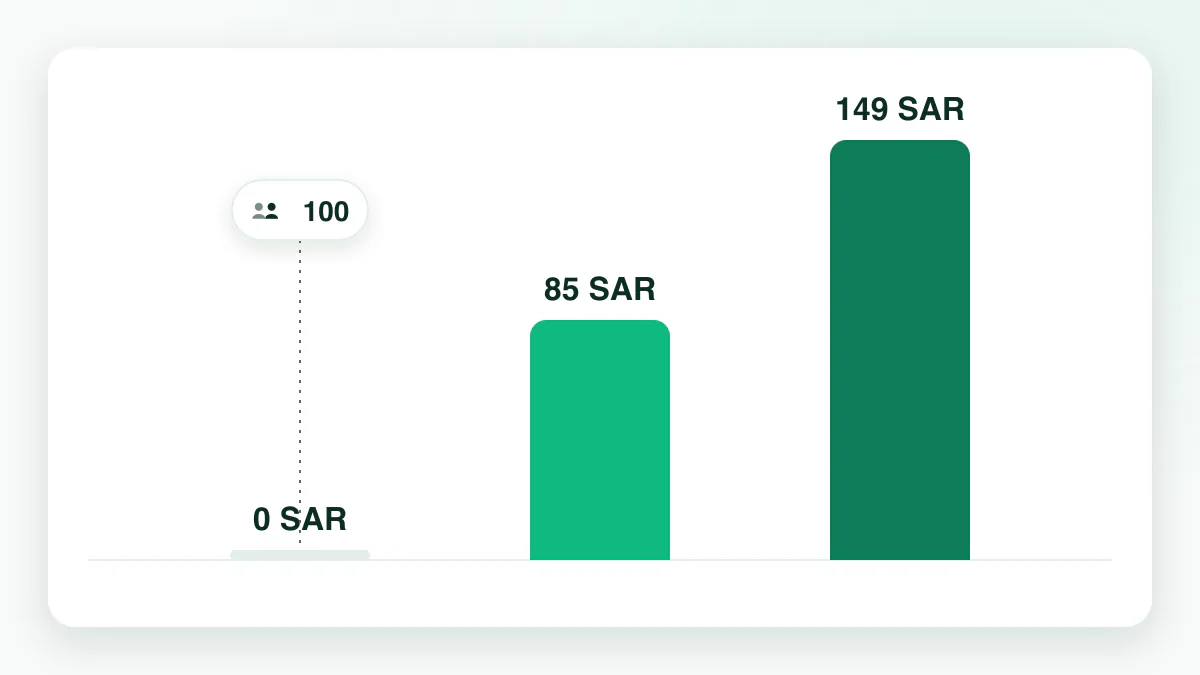
Waya has three plans, all priced in SAR, with no commission on sales, no setup fee and no per-customer fee. A single-branch café can run the whole program on Free and pay nothing until it passes 50 customers.
That ceiling can arrive quickly at a busy counter. At 50 customers, Free stops enrolling new ones; everyone already enrolled keeps their card and keeps collecting. Growth at 85 SAR a month removes the cap and adds staff logins and branches, the plan built for a café with a steady queue. Premium at 149 SAR a month suits cafés that bill through one of the seven accounting platforms and want paid invoices to add stamps. The full pricing page lists every limit.
| Plan | Price | What a café gets |
|---|---|---|
| Free | 0 SAR forever, no credit card | Up to 50 customers, 1 stamp card, 1 branch, 1 staff login, 50 wallet messages a month |
| Growth | 85 SAR a month (867 SAR a year) | Unlimited customers, up to 10 cards, 3 branches, 5 staff logins, 5,000 wallet messages a month |
| Premium | 149 SAR a month (1,520 SAR a year) | Unlimited everything, plus automatic stamps from paid invoices on 7 accounting and POS platforms |
How long setup takes: about 2 minutes to a live card
We measured this across the 75 cafés that signed up to Waya since May 2026. Half of them had their stamp card live within about 2 minutes of signing up, and the first card was in a phone within about 12 minutes.
Those two minutes cover the guided setup: pick the business type, add your logo and colours, set the stamp count and reward, and publish. Nothing is installed on the till and nobody from Waya visits. Before your first customer, scan the QR with your own phone, add a test stamp and redeem a test reward, then put the poster out.
The slower parts are not technical: choosing the reward, agreeing the one-scan rule with staff and placing the poster in front of the queue deserve a day of thought.
One real café's numbers, and the average to read them against
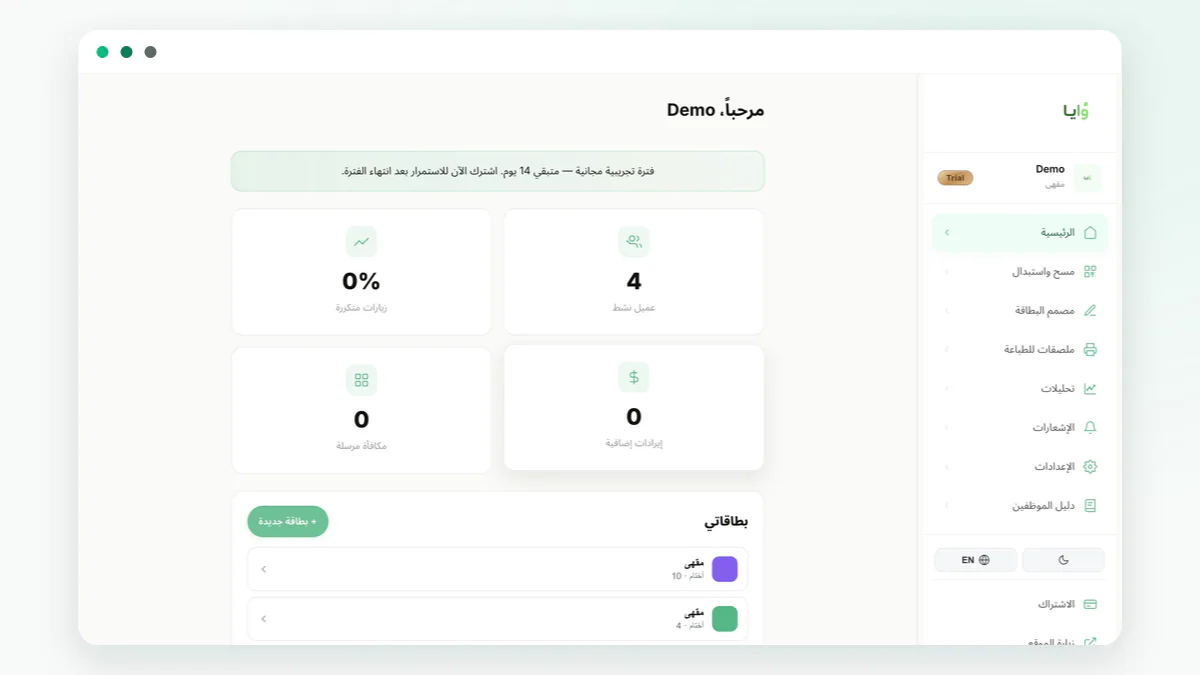
One café on Waya runs a card of five stamps with the sixth drink free, live since late July 2026. By early November 2026, 389 customers had joined, and 209 of them, about 54%, came back on a second day or more. Staff had added about 2,000 stamps, and customers had redeemed 289 rewards.
That is a strong result, not a typical one. Across every shop on Waya, about 29% of enrolled customers come back for a second visit or more; across cafés alone it was about 33% when measured by business type in September 2026, and the best shops are above 40%. Treat 54% as what a well-run café card can reach and 29% as the baseline to plan around.
Card design is rarely what separates results like these; scanning discipline is. One Waya car wash enrolled 67 cards but saw only about 7.5% return, because staff were not scanning every visit, and a coffee counter carries the same risk whenever a cashier skips a scan to save a few seconds. The dashboard home screen shows your return rate, active customers and rewards, so you can see whether your card sits nearer 29% or 54%. On why the second visit matters most, read the second-visit problem.
Does the customer need to download an app?
No. The card goes into a wallet that is already on the phone: Apple Wallet on every iPhone, Google Wallet on Android. The customer points the camera at your QR, enters their name and mobile number, and taps once to add the card. There is no app store step, no account and no password to forget.
Android customers get the same card in Google Wallet, with the same stamps, the same reward-ready alert and the same 14-day win-back message. The one difference is the location reminder near a branch, which is an Apple Wallet feature. A customer whose phone supports neither wallet gets a web card link instead, so nobody at the counter is turned away.
At a café this matters more than most places: a QR scan fits inside the short wait for a drink, and an app download does not. For the two wallets in detail, see Apple Wallet vs Google Wallet.
Mistakes that kill a café program in the first two months
The usual reasons a café card stalls have little to do with software. Rule these out before launch, and see loyalty mistakes in the first 90 days for the longer list:
- Skipped scans in the rush. A stamp never added is a visit nobody can see or measure; make one scan per order a fixed rule.
- A reward too far away. A card needing a month or more of visits stops feeling worth carrying; 5 to 7 stamps keeps it within reach.
- An open-ended reward. “Any drink” drifts toward the priciest item, so name one drink or one size.
- The QR in the wrong place. Taped to the card reader, it competes with paying; at the pickup point, it gets scanned while people wait.
- Treating the 50-customer ceiling as far off. Free stops enrolling new customers at 50, so decide on Growth before a busy week, not after.
- Switching messages on without writing them. A welcome or 14-day win-back trigger with an empty message sends nothing, so write the text when you turn it on.
Launch your café card in one week
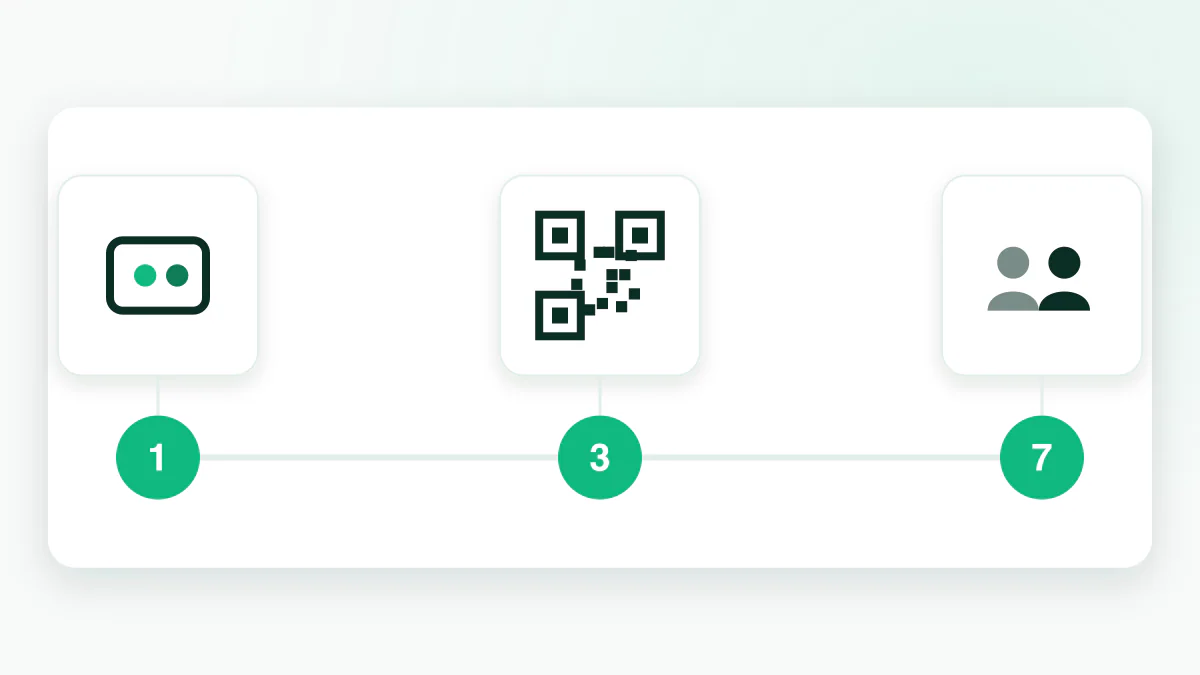
A single-branch café can go from sign-up to regulars collecting stamps inside seven days, all on the Free plan.
- Day 1: set up the card
Sign up, choose the café business type, add your logo and colours, and pick 5 to 7 stamps with one named drink as the reward. Publish, then test a stamp and a redemption on your own phone.
- Day 2: brief the counter
Show every cashier the scan screen and agree the one-scan-per-order rule. On Growth, give them the Cashier role.
- Day 3: print and place the QR
Export a counter card or table tent from the poster screen, place it where customers wait for their drink, and add the same link to your Instagram bio.
- Days 4 to 5: write the messages
Write the welcome message and the 14-day win-back message, and check that each switched-on trigger has text saved in it.
- Days 6 to 7: read the dashboard
Compare stamps added with your order count, and see who joined and who is close to a reward. A gap between orders and stamps means scans are being skipped.
Where Waya fits a café, and where it does not
Waya fits a café that wants customers back more often, and wants to measure it: a wallet card on the customer’s phone, a scan on a staff phone, follow-up messages that send themselves, and a dashboard showing who returned. More than 200 merchants have signed up, more than 5,000 cards sit in customer wallets, and merchants rate Waya 4.9 out of 5, rated by 90 merchants. It is Saudi-built and Arabic-first, with SAR prices and bilingual cards.
It fits less well if you want loyalty to run with no staff involvement on a till Waya does not connect to, or if your marketing depends on text messages. For a wider look at café loyalty options, see the café loyalty program guide.
Frequently asked questions
Does Waya work with Foodics and Marn?
Yes. Waya works with Foodics and Marn: you keep the till for payments, and staff stamp the customer’s wallet card from their phone right next to it. The scan takes a few seconds on any plan, including Free.
Do my customers need to download an app?
No. They scan your QR code and the card is added to Apple Wallet or Google Wallet in seconds; a phone with neither gets a web card link instead.
How long does it take to set up a café stamp card?
About 2 minutes: half of the cafés that joined Waya since May 2026 had a live card within about 2 minutes of signing up. The first card was in a phone within about 12 minutes.
How much does a café stamp card cost on Waya?
0 SAR on the Free plan for up to 50 customers, with no credit card. After that, Growth is 85 SAR a month (867 SAR a year) and Premium is 149 SAR a month (1,520 SAR a year), with no commission, setup fee or per-customer fee.
What about customers with Android phones?
They get the same card in Google Wallet, with the same stamps, reward alerts and win-back messages. The location reminder near a branch is Apple Wallet only, and the Android merchant app for staff is in early access.
How many stamps should a café card have?
Between 5 and 7 for most cafés, which is the range real café cards on Waya use. Fewer stamps suit customers who come once or twice a week; daily regulars can carry a slightly longer card.
Can a cashier stamp cards without seeing my customer list?
Yes. The Cashier role opens only the Scan screen, so counter staff stamp without seeing customers, campaigns or card design. Extra staff logins start with 5 on Growth.
What happens when my café reaches 50 customers on the Free plan?
New customers stop being enrolled, while everyone already enrolled keeps their card and keeps collecting stamps. Upgrading to Growth at 85 SAR a month removes the cap.