Start the welcome after signup is complete, not before
A good welcome campaign isn't a generic 'hi there' message — its job is to make sure the member knows what they have and what to do next. Send it after the customer scans the QR code and saves the store's card, or after your flow confirms the signup is complete. Don't send it the moment someone opens the signup page; that moment might never turn into an actual membership, and firing early creates an annoying duplicate if the customer tries again.
Keep the first message short: the program name, how to earn, the first threshold or reward, and one clear action, like showing the card on the next visit. Waya gives you a branded card in Apple Wallet and Google Wallet, and you can use a wallet notification once there's something useful to say. Don't reference a balance the customer hasn't earned yet, and don't promise a reward that doesn't apply to everyone who receives the message.
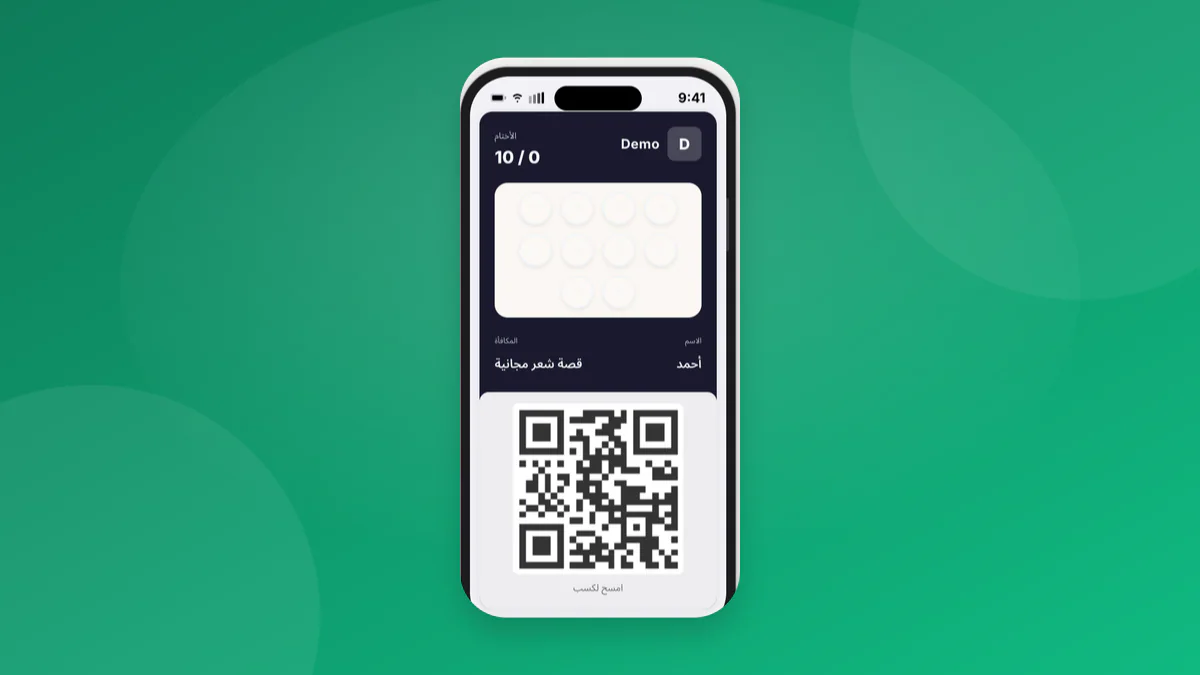
Define eligibility status before you build the sequence
Not every new member needs the same sequence. A member who joined at checkout may have already started earning, while someone who signed up from a screen at the door might not have purchased anything yet. Build simple states from what you actually know: completed signup with a qualifying transaction, completed signup with no transaction yet, or a card not yet saved, if that status is available to you. Don't add fine-grained segments you can't verify in day-to-day operations.
Stop the welcome sequence the moment a visit, reward, or membership cancellation happens, depending on your policy. Also exclude anyone who received an important operational alert the same day, such as a branch-hours change notice — the two messages compete for the same attention. Don't treat a silent customer as uninterested after only a few hours. The goal is to explain the start, not to pressure the first purchase.
| Status | Right message | Timing | Stop rule |
|---|---|---|---|
| Joined with a purchase | Explain the balance they started with | After signup completes | Next visit or redemption |
| Joined with no purchase | Explain the value of the first visit | Same day | First qualifying visit |
| Card not saved yet | Remind them to save it, nothing else | Later the same day | Save confirmed |
| Received another alert | Delay the welcome | After the day settles | Alert resolved |
Write three messages, each with a different job
The sequence can open with an introduction right after signup, followed a few days later by a practical reminder for anyone who hasn't visited, then a calm final message explaining the reward or the shortest path to it. Don't repeat the same text with one word changed. The first message reduces confusion, the second ties membership to an actual visit, and the third leaves room for the customer instead of turning the program into a chase.
Use language the wallet card can act on: 'Your card is ready — show it on your next visit to add to your balance.' Avoid phrases like 'don't miss out' if there's no real deadline, and avoid using the customer's name or personal details in a campaign notification. If a reward has exceptions, give the short version in the message and give staff a fuller explanation for when a customer asks.
- Signup message: what the program is and the next action.
- Follow-up message a few days later: one reminder for anyone who hasn't moved.
- Clarifying message: how the member actually reaches the reward.
- Exclude anyone who already visited or redeemed before each send.
- Stop the sequence after the last message instead of looping it automatically.
Set timing to the visit cycle, not the send clock
In a fast-visit business, a reminder after two or three days can make sense because the next visit is close. In a business with a longer gap between orders, that same window can feel strange — pick a date close to the purchase pattern you actually see, not what the campaign wants to produce. Test one timing to start and record when you changed it, so you can explain the result later.
Avoid sending more than one welcome notification in a short window. Set a practical cap, such as an intro message plus two more at most at the start of the journey, then let the customer move into second-visit or win-back campaigns based on their behavior. Read wallet notifications best practices when you decide on timing and wording, and don't assume a notification was seen just because it was sent.
Get the redemption point ready before you turn on messages
The campaign fails if the customer comes back and asks staff about the card and gets no answer. Before sending, confirm the QR code is visible, the cashier knows the earning rule, and scanning works on an ordinary phone. Waya doesn't require a POS integration to start, but the process still needs a short training session so the first interaction doesn't turn into a manual fix or a hesitant promise.
Write one consistent answer to three questions: how do I save the card, what do I get on this visit, and when can I use the reward? Don't ask staff to improvise a policy on expiry or exceptions. Training cashiers on the loyalty program helps lock in that service moment, while understanding how the program works sets the foundation the campaign copy and the team should agree on.
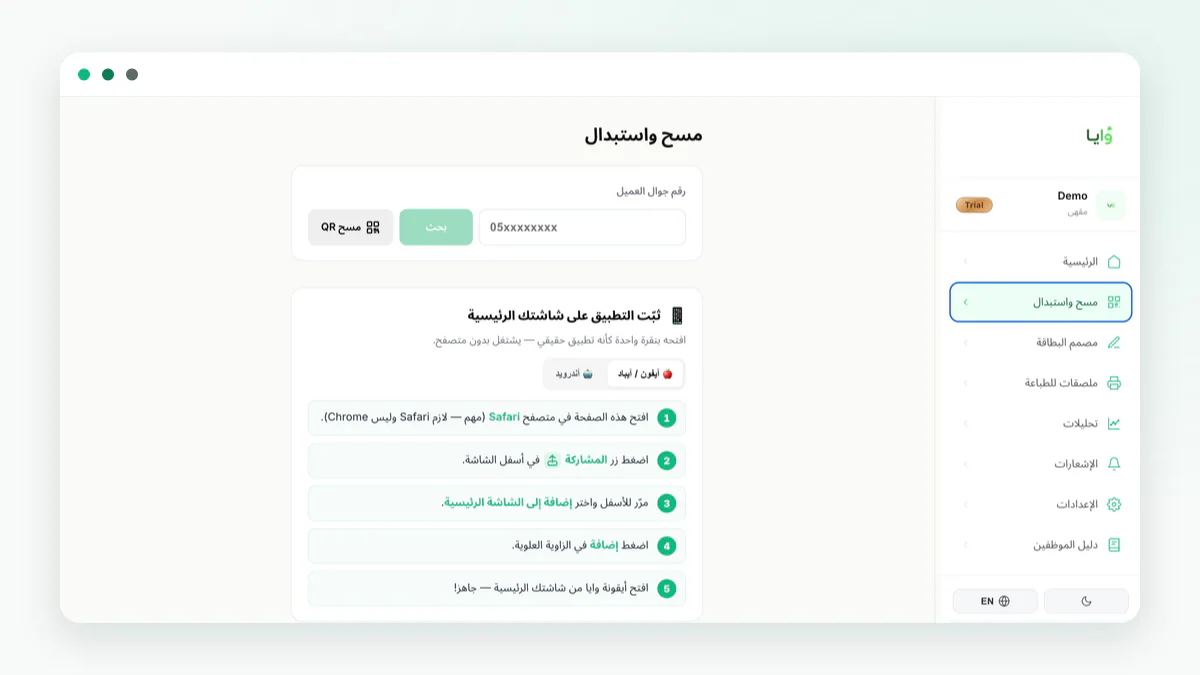
Launch a small version, then review member movement
Start with a fixed window and new memberships only, and lock the copy, timing, and stop rule. Watch how many joined, how many completed a qualifying visit afterward, and what questions or corrections came up at the branch. Don't treat the open rate as the only metric — what matters is whether the customer understood the next step and whether the team could deliver on the promise.
With Waya you can build a branded digital card and follow program activity through the analytics dashboard, then adjust the message or the rule based on operational evidence. Start on the free plan if it fits your needs, and add a more complex campaign only once the welcome journey is stable.
- Define the start
Decide which event means the membership is complete.
- Split the states
Separate the member who joined with a purchase from the one who didn't.
- Write the stop rule
Exclude anyone who already visited or redeemed before each message.
- Review weekly
Log the questions and the return rate before changing the copy.
Frequently asked questions
Should I include a discount in the first welcome message?
Not necessarily. Start by explaining the value and how to earn; only add an incentive if it's written down, available, and something staff can actually apply.
When should I stop the welcome campaign?
Stop it after the first qualifying visit or redemption, or once you've sent the set number of messages — don't loop it automatically.
Does the same message work for every branch?
It works if the rules are uniform across branches. Local offers need to state the branch and scope clearly.
What should I measure besides the number of notifications sent?
Track completed signups, the next qualifying visit, and the questions or corrections that came up, while keeping the window and the definition of 'new member' fixed.