What does an independent loyalty program for a Salla store mean?
Independent means the loyalty program doesn't assume a direct connection to Salla or an automatic pull of orders from it. You place the joining path and the reward inside the customer experience you control: a QR code on the shipping label, a thank-you page, your social accounts, or a post-purchase message. Your order record inside your store stays the reference for running the perks under the policy you announce.
This approach suits a store that wants to start quickly or keep loyalty separate from platform settings. Don't present it to the customer as a native Salla feature, and don't promise credit for information the program hasn't received yet. Clear boundaries protect the support experience and keep your program running even if the storefront changes.
Tie the experience to a delivery point the customer sees
The best place to join isn't necessarily checkout — the address, shipping, and payment already compete for attention there. After the order succeeds, send a focused invitation: scan the code, save the card, and know your next reward. Also put the code on a small card inside the shipment if packaging is part of your brand. Having two touchpoints raises the chance of reach without lengthening the checkout page.
With Waya, the customer joins from a QR code into a card carrying your store's identity in Apple Wallet or Google Wallet. That doesn't require a new app for the store. Write the copy to explain one understandable benefit, such as 'build your credit toward your next order,' then say where the customer can ask for help if they don't find the card.
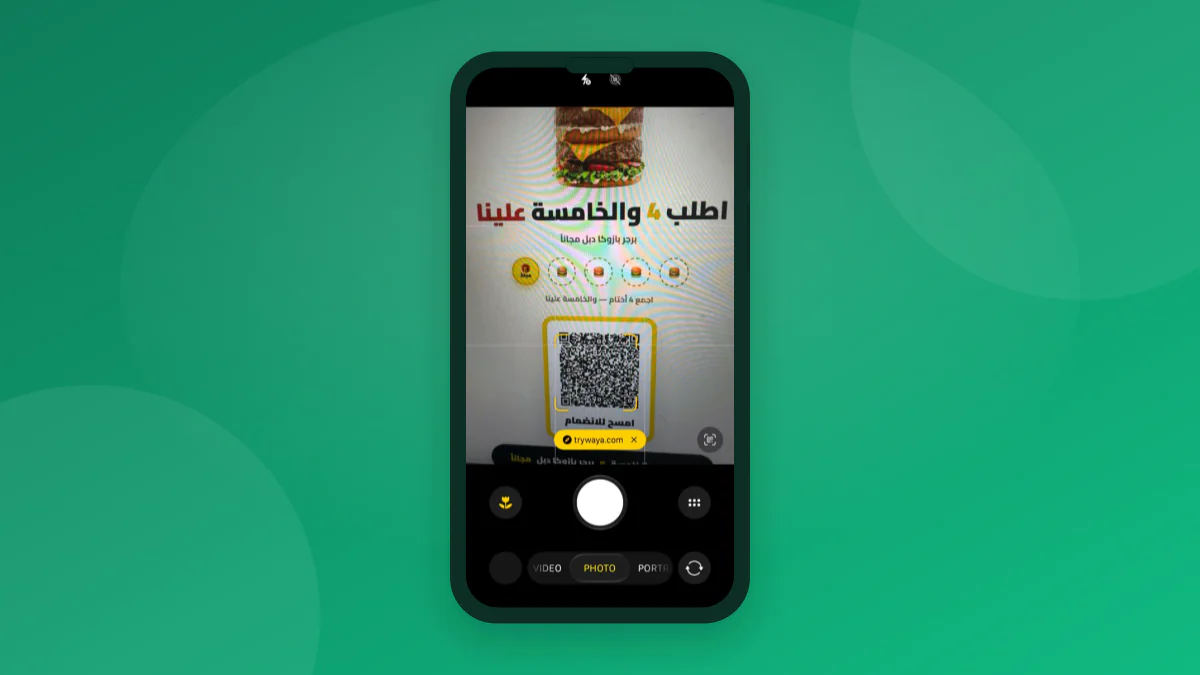
- A code on the order-confirmation page.
- A printed code inside the parcel.
- A short link in the post-shipment message.
- A ready answer for the customer-service team.
Decide how you grant credit without assumed automation
In independent operation, you need a rule that can be checked manually. You can grant points after verifying a completed order, add a stamp once the customer sends their order number through the announced channel, or award a reward during a specific campaign. Don't make the mechanism depend only on a customer's name — use an order reference or a clear rule the team follows to cut down on mistakes.
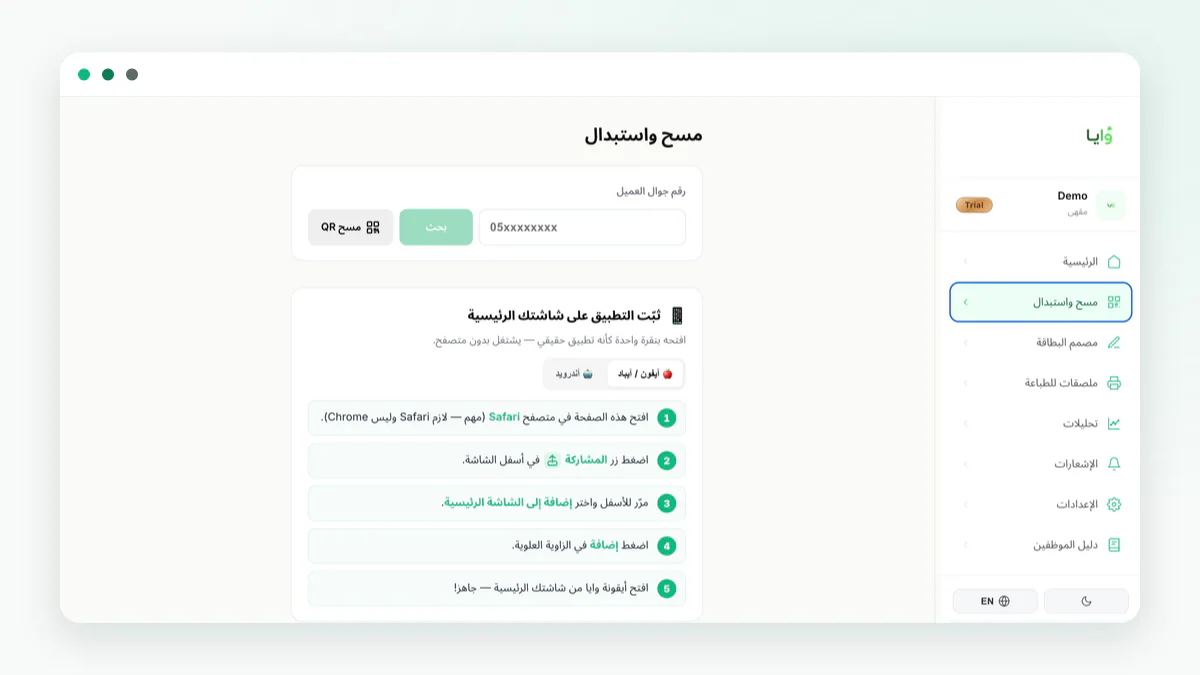
Split responsibility from day one: who reviews order eligibility, who adds the credit, and who answers an objection. Waya gives you manual rewards and staff permissions, which helps split the work instead of sharing one login. Manual rewards don't have to mean chaos — log the reason for each grant inside your operating process.
| Model | When to grant | Effort | Best for |
|---|---|---|---|
| Point after verification | After the order is complete | Medium | Varied baskets |
| Stamp per order | After the order number is confirmed | Low | Reorderable product |
| Campaign reward | When a stated condition is met | Low | Launching a new category |
Write terms that don't leave support guessing
Clarify whether a canceled or exchanged order earns credit, when the credit becomes usable, and whether the reward covers shipping. You don't need a long document, but a vague line like 'points on every order' will generate exceptions the first time something is returned. Keep the terms available behind a fixed link and reference it in the message that invites people to join.
If you carry heavily discounted products, decide in advance whether they count toward earning or redemption. A consistent rule matters more than trying to please every individual case. Review the basics of a loyalty program before finalizing the wording.
How do you protect the reward's value?
Salla stores aren't all alike: a home-essentials store needs faster repeat purchases than a seasonal gift store. Tie the reward to behavior that matches your product's cycle. It could be a small add-on with the next order, priority on a new collection, or credit up to a clear cap. Stay away from a permanent general discount, because the customer will learn to wait for the markdown instead of valuing the membership.
Use a cost example before launch: if the reward is a product that costs you 8 SAR internally, and it takes eight qualifying orders to earn it, the reward's cost per completed order in this example is 1 SAR, before any additional effect. Adjust the numbers to your real margin. Don't credit the program with sales you haven't verified — compare periods and behavior carefully.
Turn on a reminder with a clear reason
After joining, the wallet card can show the balance or the reward status. Use a notification when there's a concrete reason to return, such as the balance nearing a reward or a complementary product coming back. Don't use notifications to make up for shipping messages or to fix an order problem — each channel has its own job.
Check the open rate or the questions a message generates, but don't measure success by that alone. What matters is whether the customer knows what to do next: return to the store, add a product, or redeem a perk. See wallet pass notifications explained when designing the first message.
A starter plan for a Salla store
Pick fifty recent orders as an internal sample to estimate how long operating the program will take, not to add credit retroactively without announcing it. Create the card, test the QR code, and write the terms for cancellations and rewards. Then launch to a small segment and watch where the customer gets stuck: joining, asking about the balance, or redeeming.
Waya helps you issue a branded wallet card and manage points, stamps, or manual rewards without requiring an integration with your store platform. Start on the free plan if it suits your needs, and confirm your team's process before you scale the campaign.
- Write the rule
Tie earning to a verifiable, completed order.
- Prepare the QR code
Test it on iPhone and Android.
- Train support
Give one consistent answer on balance and cancellations.
- Measure
Review returning customers and redemptions after a purchase cycle.
Frequently asked questions
Is Waya directly integrated with Salla?
No. It can run independently alongside a Salla store through the card, the code, and your own operating process.
How do I verify order eligibility?
Use the order number and its status under an announced policy, with one staff member responsible for review.
Can I grant credit manually?
Yes — Waya supports manual rewards so you can apply your independent rules.
Does the card appear inside the Salla app?
The card is added to Apple Wallet or Google Wallet — it isn't part of the Salla app.