Turn your reward idea into a card customers can use
If you already use ChatGPT for your shop, you can now open a Waya account and create a live loyalty card in that conversation. Provide your business details and reward, review the design, and approve it to receive a join link and QR code. Your customers can keep the resulting card in Apple Wallet or Google Wallet, with a clear reward to work toward when they return.
The conversation works in Arabic and English. Before starting, decide what customers receive when they complete their stamps. Write a reward your cashier can explain clearly. If that decision is still open, use the guide to starting a loyalty program to prepare before you begin setup.
- Your shop name and business type, with the spelling you want recorded in Waya.
- A stamp target from 3 to 12, plus the reward customers receive when they complete it.
- The owner’s email address and Saudi mobile number; the owner’s name is optional.
- Existing artwork, or an idea for a logo and banner to create with ChatGPT’s image tool.
Add Waya and begin the setup conversation
You start by adding the app yourself and asking to create a loyalty card. ChatGPT first asks whether you want to open a Waya account. Nothing is created until you agree. That initial agreement starts setup; you still review the card and accept Waya’s terms before the account and live card are created. Availability depends on your ChatGPT account or workspace settings; a company workspace admin may need to allow it.
Check the email address and mobile number as you provide them. Dashboard sign-in details will arrive at that email address, so use the account owner’s inbox that you will continue checking after launch.
- Add Waya to ChatGPT
On a computer, open chatgpt.com/plugins, press the plus button (+), then choose "Add custom MCP server". Paste https://trywaya.com/mcp, name it Waya, and choose None for authentication. ChatGPT shows a warning about connecting an outside app; confirm "I understand and want to continue", then choose "Create as a plugin" and install it.
- Mention Waya in a chat
Open a new chat, type @ and pick Waya, then ask it to create a loyalty card for your shop.
- Agree to start account setup
Answer the question about opening a Waya account if you want to proceed. Adding the app does not create an account by itself.
- Provide the shop and reward details
Give your shop name, business type, stamp count from 3 to 12, and reward, followed by your email and Saudi mobile number. Include your name if you wish.
- Review the design and details
Prepare your logo and banner, inspect the live preview in the chat, and check the optional details before approving the card and accepting Waya’s terms.
Choose your images and inspect the actual card
The chat displays a live preview of the real card, with the same design customers will see in their wallets. Check whether the logo is readable and the banner looks right before sharing the join link. You can replace either image and review the result before approval.
Upload existing artwork in the card panel inside the chat. If you need new artwork, ChatGPT can create a square logo and a wide banner using its own image tool. Waya fits those images into the card layout; it does not generate them. Pay particular attention to any lettering within your logo when checking the preview.
When your logo already contains the shop name, you can hide the name beside it on Apple Wallet. Google Wallet always displays the shop name. For background on where customers keep and use their cards, see what a wallet pass is.
Add useful shop details and a branch location
Before approving, you can add information that helps customers understand the reward and contact your shop. These extras are optional. Keep the wording direct, check that links belong to your business, and make reward conditions clear enough to avoid questions at redemption.
You can also supply one branch location through a Google Maps link, with a short message that appears on the customer’s lock screen near the branch on Apple Wallet. Check the location and write for someone nearby. Free includes one branch location; more can be added later in the Waya dashboard according to your plan. The location notification guide explains the wallet feature.
| Extra | What to provide |
|---|---|
| Reward and terms | Reward details and clear conditions for using it. |
| Shop information | Phone, address, website, and Google Maps link. |
| Social accounts | Your shop’s Instagram, TikTok, Snapchat, and X links. |
| Additional contact number | An optional WhatsApp number; it is not required to create the card. |
| Branch location | One location from a Google Maps link and a short message for customers near the branch. |
Approve the card and receive your join link and QR code
Once you approve the preview and accept Waya’s terms, Waya creates your account on Free and the card goes live immediately. The chat gives you the customer join link and QR code. Share the link or print the code where customers can see it. Before printing, check that the shop name, reward, and design are ready to represent your business.
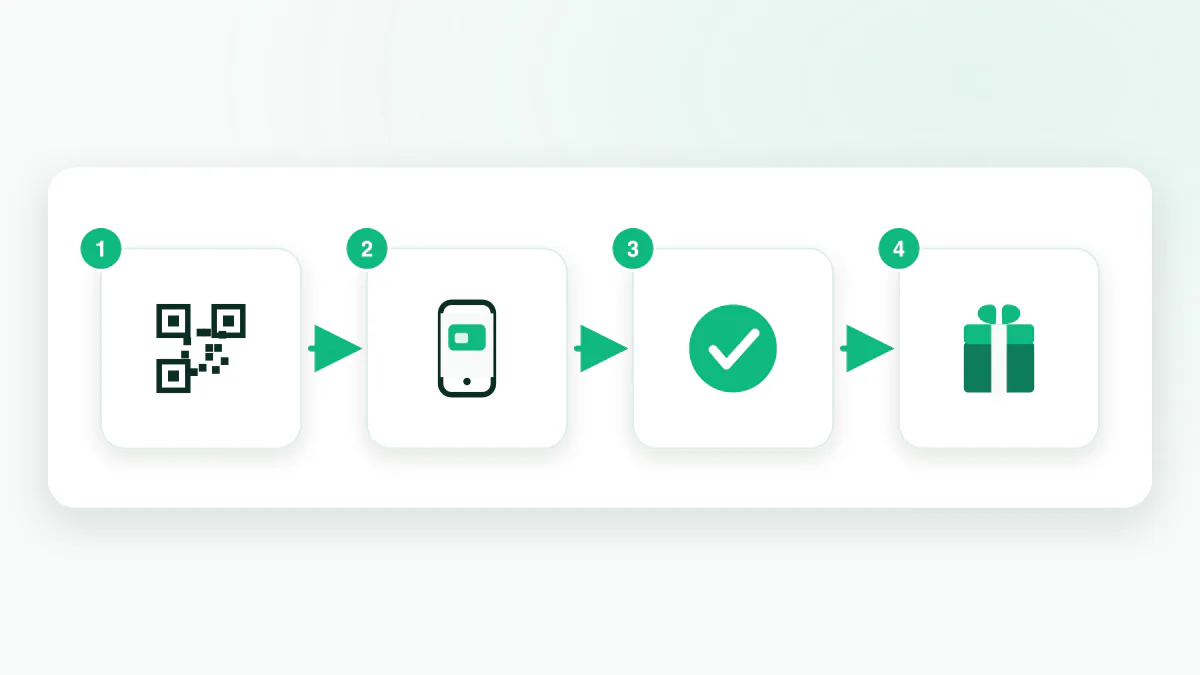
Customers scan the QR code and add the loyalty card to Apple Wallet or Google Wallet without downloading a customer app. Try the enrollment journey yourself so you can explain it to staff and customers at the counter. Waya also provides a web card fallback.
Sign-in details for trywaya.com arrive by email, including a temporary password that you change at your first sign-in. ChatGPT never requests or displays a password. If the email already belongs to a Waya account, nothing new is created; sign in to your existing account at trywaya.com instead.
Keep editing in the same chat for 7 days
For 7 days after creation, the same ChatGPT user can return to the same chat and edit the live card. You can change the logo, banner, colors, extras, and branch. Review the edit and press “Save changes.” Customers’ wallet cards update, typically within minutes; a saved edit may not appear on a customer’s phone at that exact moment.
Shop name, business type, and stamp count are changed in the trywaya.com dashboard. Check those choices before launch instead of relying on the chat editing window to change them later. After that window ends, use the Waya dashboard to manage the card and continue running your program.
Understand the limits and prepare your shop to run it
The account created in ChatGPT starts on Free: 0 SAR forever, no credit card, up to 50 customers, one stamp card, one branch, and 50 wallet messages per month. At 50 customers, new enrollment stops on Free; existing customers keep their cards. The 7-day chat editing window is separate from the ongoing Free plan.
If you need more capacity, review Waya’s plan details. Growth costs 85 SAR monthly or 867 SAR annually; Premium costs 149 SAR monthly or 1,520 SAR annually. There is no sales commission, setup fee, or per-customer fee. Review the plan allowances against your shop’s needs before upgrading.
Once the QR code is visible, make card scanning part of each customer visit. Manual scanning works on every plan from an ordinary phone, using the web dashboard or Waya’s merchant iPhone app, without special hardware. Track return rate, active customers, and rewards in the analytics dashboard. Creating the card gets the program running; consistently recording visits makes the reward part of the customer experience and gives people a reason to return.
Frequently asked questions
Does adding the Waya app automatically create an account?
No. ChatGPT asks whether you want to open an account before proceeding. You then review the card and accept Waya’s terms at approval, after which the account is created and the card goes live on Free.
Do I need a finished logo and banner before starting?
You can upload your images in the card panel inside the chat, or ask ChatGPT’s image tool for a square logo and wide banner. Waya arranges the images in the card layout and does not generate them itself.
What happens if my email already has a Waya account?
A new account is not created for that email. Sign in to your existing account at trywaya.com. ChatGPT does not ask for your password or display one in the conversation.
Can I change the stamp count in chat after launch?
Change stamp count, shop name, and business type in the trywaya.com dashboard. For 7 days, the same ChatGPT user can edit images, colors, extras, and the branch in the same chat and save those changes.
Does Free stop working after 7 days?
No. The 7 days apply to editing the card in chat. Free continues at 0 SAR for up to 50 customers. When you reach that limit, new enrollment stops and existing customers retain their cards.